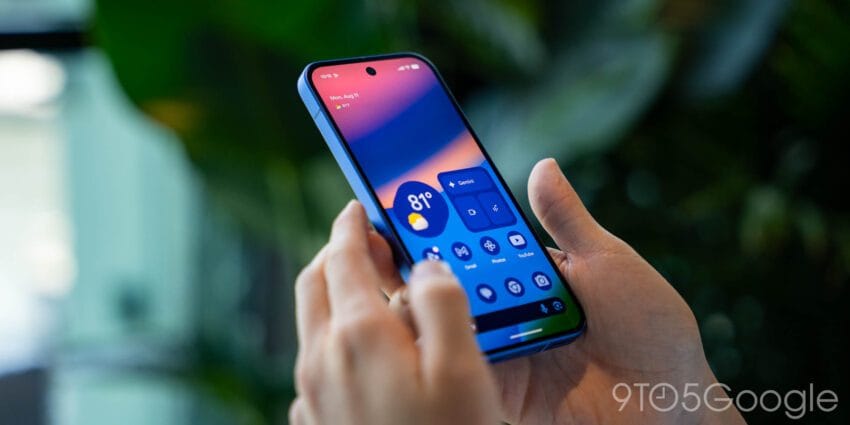
google adds sensitive eyes display pwm setting on pixel 10 series: Google adds sensitive eyes display pwm setting — Google has introduced a new “sensitive eyes” display setting for its Pixel 10 series, aimed at enhancing user comfort by adjusting the pulse-width modulation (PWM) refresh rate of the device's display..
Google Adds Sensitive Eyes Display Pwm Setting
Google has introduced a new “sensitive eyes” display setting for its Pixel 10 series, aimed at enhancing user comfort by adjusting the pulse-width modulation (PWM) refresh rate of the device’s display.
Understanding PWM and Its Importance
Pulse-width modulation (PWM) is a technique used in displays to control brightness levels. It works by turning the screen on and off at a rapid rate, which can vary depending on the brightness setting. While this method is effective for saving power and extending battery life, it can lead to eye strain and discomfort for some users, especially those sensitive to flicker. For many consumers, the PWM refresh rate is an aspect of display technology that often goes unnoticed, yet it plays a crucial role in the overall viewing experience.
The New “Sensitive Eyes” Setting
With the launch of the Pixel 10 series, Google has responded to user feedback by introducing the “sensitive eyes” setting. This feature allows users who experience discomfort from flickering displays to increase the PWM rate, thereby reducing the likelihood of eye strain. By providing this option, Google acknowledges the diverse needs of its user base and aims to enhance the usability of its devices for those who are particularly sensitive to display flicker.
How the Setting Works
The “sensitive eyes” setting functions by adjusting the refresh rate at which the display operates. Users can enable this feature through the device’s settings menu, where they can find options related to display brightness and comfort. Once activated, the setting modifies the PWM frequency, allowing for a smoother visual experience under various lighting conditions.
User Experience and Comfort
For individuals who spend extended periods using their smartphones, the impact of PWM can be significant. Symptoms of PWM-related discomfort may include headaches, eye strain, and fatigue. By offering a customizable solution, Google aims to mitigate these issues, thereby improving the overall user experience. The introduction of the “sensitive eyes” setting reflects a growing awareness among technology companies regarding the importance of user comfort and health.
Background on Google’s Display Technology
Google has been at the forefront of smartphone innovation, consistently enhancing its Pixel lineup with features that prioritize user experience. The Pixel 10 series, which was launched in August 2025, showcases several advancements in display technology, including improvements in color accuracy, brightness, and now, user comfort through the PWM adjustment feature. This addition aligns with Google’s broader strategy to create more inclusive technology that caters to a wide range of user needs.
Comparison with Competitors
While many smartphone manufacturers have focused on improving display quality in terms of resolution and brightness, few have addressed the nuances of eye comfort related to PWM. Companies like Apple and Samsung have also implemented features aimed at reducing eye strain, such as blue light filters and adaptive brightness. However, Google’s specific focus on PWM adjustment through the “sensitive eyes” setting distinguishes it from competitors, showcasing a commitment to enhancing user health and comfort.
Stakeholder Impact
The introduction of the “sensitive eyes” setting not only benefits end-users but also has implications for various stakeholders involved in the smartphone ecosystem. These include:
- Consumers: Users who experience discomfort from traditional PWM settings will find enhanced usability with the Pixel 10 series, potentially leading to increased customer satisfaction and loyalty.
- Health Professionals: The feature may be of interest to health professionals who advocate for better display technology that minimizes eye strain, thereby promoting overall well-being.
- Developers: App developers may need to consider how their applications interact with this new setting, ensuring compatibility and optimal performance for users who enable the feature.
- Competitors: Other smartphone manufacturers may feel compelled to adopt similar features in response to Google’s innovation, leading to a potential shift in industry standards regarding user comfort.
Future Implications
As technology continues to evolve, the importance of user comfort will likely become a focal point for smartphone manufacturers. The addition of the “sensitive eyes” setting may set a precedent for future devices, encouraging other companies to explore similar features that prioritize user well-being. This trend could lead to a broader shift in how displays are designed and optimized for various user needs.
Feedback and Community Response
Initial reactions from the tech community and users have been positive, with many expressing appreciation for Google’s attention to detail and user comfort. The feature has sparked discussions on forums and social media platforms, where users share their experiences and provide feedback on the effectiveness of the setting. This community engagement not only helps Google refine its offerings but also fosters a sense of connection among users who prioritize health and comfort in their technology.
Conclusion
Google’s introduction of the “sensitive eyes” display setting on the Pixel 10 series represents a significant step forward in addressing the needs of users who are sensitive to display flicker. By enhancing the PWM refresh rate, Google is not only improving the user experience but also leading the charge for greater awareness of display-related health issues. As more consumers recognize the importance of such features, it is likely that other manufacturers will follow suit, ultimately benefiting a broader audience.
Source: Original reporting
Further reading: related insights.
Was this helpful?
Explore more: More Hardware & Devices Tech News Blog
Last Modified: July 15, 2026 at 9:49 am
22 views