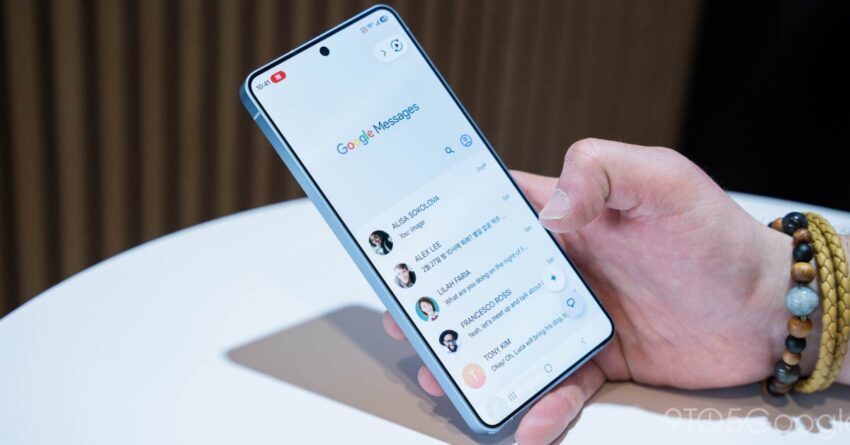
Google Messages is rolling out a small but welcome change for Smart Replies that should help prevent accidental sends. Instead of instantly firing off a suggested reply when you tap it, the app can now add that text to the compose box first, giving you a chance to edit it before hitting send.
The new behavior is called “Tap to draft,” and it follows testing that began in March. The idea is simple: if you tap a Smart Reply suggestion above the message field, Google Messages will treat it as a draft rather than a completed message. That means you can review what was inserted, add context, change the wording, or delete it entirely before sending. It is a small adjustment, but one that could make a real difference for people who have already been burned by the older “Tap to send” setup.
Why Google is changing Smart Replies
Smart Replies are meant to make messaging faster by offering short, prewritten responses based on the conversation. In practice, though, the old behavior could be risky because tapping a suggestion would immediately send it. For users who move quickly through conversations, that made accidental sends possible. In some cases, a single tap could reply with a message the sender did not mean to send at all.
Google’s answer is to give users more control over the feature. With “Tap to draft,” Smart Replies become a starting point instead of the final action. That is especially useful if a suggestion is close to what you want but needs a tweak before it goes out. It also helps reduce the likelihood of sending a reply by mistake when you are trying to scroll, tap around the interface, or simply interact quickly in a busy chat.
According to the source material, some users had already gone as far as disabling Smart Replies entirely because they did not want to risk accidental messages. The new option should make the feature more comfortable to use without requiring people to turn it off.
How Tap to draft works
Google Messages now offers two different Smart Reply behaviors:
- Tap to draft: Creates a message draft in the text field.
- Tap to send: Sends the suggested reply directly to the chat.
Under the new mode, selecting a Smart Reply inserts the suggestion into the compose field rather than sending it immediately. From there, the user still needs to press the send button manually. That extra step provides room for edits and a final review, which is the main benefit of the feature.
At launch, however, the default behavior remains “Tap to send.” In other words, users who want the safer draft-first behavior have to enable it themselves. Google is not switching everyone automatically to the new model, at least not yet.
Where to turn it on
To enable Tap to draft, users need to go into Google Messages settings and look for the Smart Replies controls under Settings > Suggestions & Actions. The source notes that this section has recently been renamed, and the new “Suggestions” menu appears at the top. That is where the new option can be found.
The change is rolling out in the latest stable version of Google Messages for Android, identified in the source as 20260522_00_RC00. That means the feature is not just limited to a test build anymore; it is beginning to reach users on the stable app channel.
A small change, but a practical one
On paper, this is not a major redesign of Google Messages. It does not change the app’s layout, add a headline-grabbing new capability, or alter the core structure of RCS conversations. But features like this matter because they address real-world behavior. Messaging apps are used quickly and often casually, so any interface element that helps prevent mistakes can improve the overall experience.
The shift from instant sending to draft creation also better matches how many people already think about suggested text. A Smart Reply is often a convenient shortcut, not necessarily the final wording a person wants to send. By making that distinction clearer, Google Messages reduces friction for users who want the speed of suggestions without the danger of sending something too soon.
It is also a notable example of Google refining a long-standing feature rather than simply adding a brand-new one. Smart Replies have been part of Android messaging experiences for years, but their usefulness has always depended on whether the surrounding controls feel safe and intuitive. With Tap to draft, Google is recognizing that convenience should not come at the cost of accidental communication.
Part of a broader Google Messages update cycle
The new Smart Replies behavior arrives as Google Messages continues to see steady feature development. The source material points to several recent and upcoming changes in the app, including encrypted RCS rolling out to Android and iPhone with iOS 26.5, a redesign of read receipts with older icons and a swipe-for-time interaction, and a Trash folder for Google Messages on Android.
Those updates suggest Google is still investing in both functionality and usability across Messages. Some changes focus on platform compatibility and messaging security, while others target everyday convenience. Tap to draft falls into the second category. It does not aim to transform how messages are delivered, but it does make the app less likely to make a user feel like they made a mistake.
The latest tweak also reflects a broader trend in software design: reducing the number of irreversible actions. Whether it is undo send, confirmation prompts, or draft-first behavior, apps increasingly try to give users a chance to double-check before something goes out. For a messaging app, where timing and tone matter, that extra layer of caution can be especially valuable.
What users should expect next
Because Tap to draft is rolling out gradually with the stable version of Google Messages, not every Android user will see it immediately. As with many Google app changes, availability may depend on the pace of server-side rollout in addition to having the right app version installed. Users who do not see the setting right away may simply need to wait for the feature to arrive on their devices.
Once it is available, the choice will be between convenience and control. Some users may prefer the old Tap to send behavior because it is faster, especially for short replies in ongoing conversations. Others will likely appreciate the added safety of Tap to draft, particularly if they have ever sent a suggestion too quickly or want to edit Smart Replies before sharing them.
Either way, the new setting gives Google Messages users a more flexible way to use one of the app’s most common shortcuts. It is a modest update, but one that addresses a specific annoyance directly and without unnecessary complexity.
Source: Original report
Was this helpful?
Explore more: Mobile App Development More Mobile Technology Tech News
Last Modified: July 7, 2026 at 9:35 pm
11 views