ios 26 adds fun way to customize Apple’s iOS 26 introduces an exciting feature that enhances the personalization of iPhone devices through 3D spatial wallpapers.
ios 26 adds fun way to customize
Introduction to iOS 26
With each new iteration of its operating system, Apple continues to refine and enhance the user experience on its devices. iOS 26 is no exception, bringing a plethora of new features and improvements that cater to both functionality and aesthetics. Among the most notable updates is the introduction of 3D spatial wallpapers, a feature that allows users to customize their iPhone screens in a visually engaging manner. This article will explore how to use this feature, its implications for user experience, and the broader context of personalization in mobile technology.
Understanding 3D Spatial Wallpapers
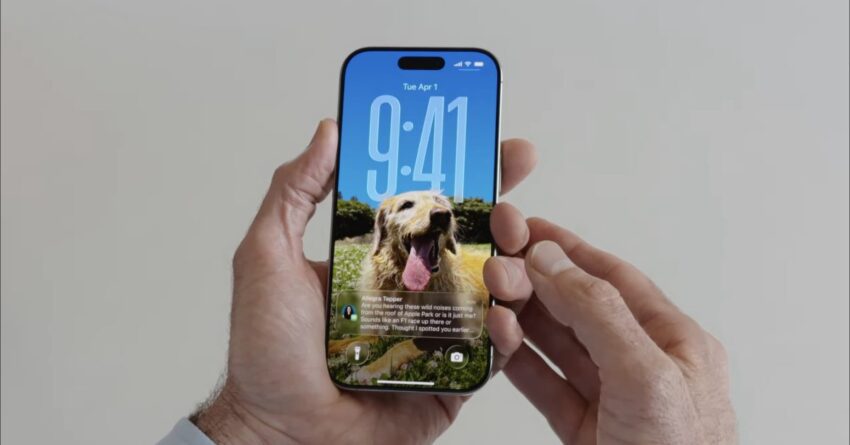
3D spatial wallpapers represent a significant leap in how users can personalize their devices. Unlike traditional wallpapers, which are flat images, 3D spatial wallpapers create an illusion of depth and dimension. This effect is achieved through advanced rendering techniques that utilize the iPhone’s capabilities to create a more immersive visual experience.
How 3D Spatial Wallpapers Work
The 3D spatial wallpapers in iOS 26 leverage the device’s gyroscope and accelerometer to provide a dynamic experience. As users tilt their phones, the wallpaper shifts perspective, giving the impression of a three-dimensional space. This interactivity not only enhances the aesthetic appeal but also engages users in a unique way, making their devices feel more alive and personalized.
Setting Up 3D Spatial Wallpapers
Using 3D spatial wallpapers is straightforward. Here’s a step-by-step guide to help users set up this feature on their iPhones:
- Open Settings: Start by tapping on the Settings app on your iPhone.
- Select Wallpaper: Scroll down and select the “Wallpaper” option.
- Choose a New Wallpaper: Tap on “Choose a New Wallpaper.” Here, you will find various options, including dynamic, stills, and live wallpapers.
- Access 3D Spatial Wallpapers: Look for the section dedicated to 3D spatial wallpapers. Apple has curated a selection of these wallpapers that showcase the feature’s capabilities.
- Preview and Select: Tap on a wallpaper to preview it. If you like what you see, select it as your wallpaper.
- Set as Wallpaper: Choose whether you want to set it as your lock screen, home screen, or both. Finally, tap “Set” to apply your new wallpaper.
Implications of 3D Spatial Wallpapers
The introduction of 3D spatial wallpapers is more than just a cosmetic upgrade; it reflects a broader trend in mobile technology towards enhanced personalization and user engagement. As smartphones become increasingly integral to daily life, users are seeking ways to make their devices reflect their individual tastes and preferences.
Enhancing User Experience
Personalization has been shown to improve user satisfaction and engagement. By allowing users to customize their devices with 3D spatial wallpapers, Apple is tapping into this desire for individuality. The dynamic nature of these wallpapers can also enhance the overall user experience, making interactions with the device feel more engaging and less static.
Competitive Landscape
In the competitive landscape of mobile operating systems, features like 3D spatial wallpapers can give Apple an edge over competitors. Android devices have long offered various customization options, including live wallpapers and widgets. By introducing a unique feature that combines aesthetics with interactivity, Apple is reinforcing its commitment to innovation and user-centric design.
Community Reactions
As with any new feature, community reactions to the 3D spatial wallpapers have been mixed. Many users have expressed excitement over the new customization options, praising the visual appeal and the immersive experience it offers. Social media platforms have seen a surge in posts showcasing the new wallpapers, with users sharing their favorite designs and how they enhance their devices.
Critiques and Concerns
However, not all feedback has been positive. Some users have raised concerns about battery consumption, as dynamic wallpapers may require more power than static images. Others have pointed out that while the feature is visually striking, it may not be practical for everyday use, especially for those who prefer minimalistic designs. Apple will need to address these concerns in future updates to ensure that the feature remains appealing to a broad audience.
The Future of Personalization in iOS
The introduction of 3D spatial wallpapers is just one example of how Apple is evolving its approach to personalization. As technology continues to advance, users can expect even more innovative features that allow for greater customization and interaction with their devices.
Potential Future Features
Looking ahead, there are several potential features that could complement the 3D spatial wallpapers:
- Interactive Widgets: Enhanced widgets that respond to user interactions could further personalize the home screen experience.
- Augmented Reality Integration: Future iterations could incorporate augmented reality elements into wallpapers, allowing users to interact with their environment in new ways.
- AI-Driven Customization: Utilizing artificial intelligence to suggest wallpapers based on user preferences and habits could create a more tailored experience.
Conclusion
iOS 26’s introduction of 3D spatial wallpapers marks a significant step in Apple’s ongoing efforts to enhance user personalization. By offering a feature that combines aesthetics with interactivity, Apple is not only catering to user preferences but also setting a new standard in mobile customization. As users explore this new feature, it will be interesting to see how it shapes their interactions with their devices and what future innovations Apple will bring to the table.
Source: Original report
Was this helpful?
Explore more: Mobile App Development More Mobile Technology Tech News
Last Modified: May 9, 2026 at 10:36 am
44 views