a decade with bartender showed me how After a decade of using Bartender, a popular macOS app for managing menu bar items, its recent incompatibility with macOS Tahoe 26 has left users questioning the future of this essential tool.
a decade with bartender showed me how
Introduction to Bartender
Bartender is a macOS application that allows users to organize and manage their menu bar items effectively. Over the years, it has become an indispensable tool for many Mac users who find the default menu bar cluttered and overwhelming. The app enables users to hide, rearrange, and manage their menu bar icons, providing a cleaner and more efficient workspace. Its user-friendly interface and robust functionality have garnered a loyal following, making it a staple for productivity-focused individuals.
History and Development
Launched over a decade ago, Bartender was created by Surtees Studios, a small software development company. The app quickly gained traction among Mac users who were frustrated with the limitations of the macOS menu bar. As macOS evolved, so did Bartender, with regular updates that introduced new features and enhancements. The app’s ability to adapt to changes in macOS has been a significant factor in its longevity and success.
Throughout its history, Bartender has been celebrated for its simplicity and effectiveness. Users can choose to hide specific icons, create custom arrangements, and even set up keyboard shortcuts for quick access. This level of customization has made it a favorite among professionals who rely on their Macs for work, as it allows them to streamline their workflow and focus on what matters most.
The Impact of macOS Tahoe 26
With the release of macOS Tahoe 26, many users have reported issues with Bartender’s functionality. These problems have raised concerns about the app’s future, as it appears to be incompatible with the latest operating system update. Users have expressed frustration, as they have come to rely on Bartender for their daily tasks. The sudden disruption of this essential tool has left many wondering how they will manage their menu bar items without it.
Understanding the Compatibility Issues
Compatibility issues often arise when a new operating system is released, as developers must update their applications to align with the latest changes. In the case of Bartender, it seems that macOS Tahoe 26 has introduced modifications that have rendered the app non-functional. Users have reported that the app fails to launch or crashes upon startup, making it impossible to access its features.
While it is not uncommon for third-party applications to experience compatibility issues following a macOS update, the severity of Bartender’s problems has led to widespread concern. Many users have taken to forums and social media to voice their frustrations, with some even speculating that Apple may eventually integrate Bartender’s core features into macOS itself.
The Future of Bartender
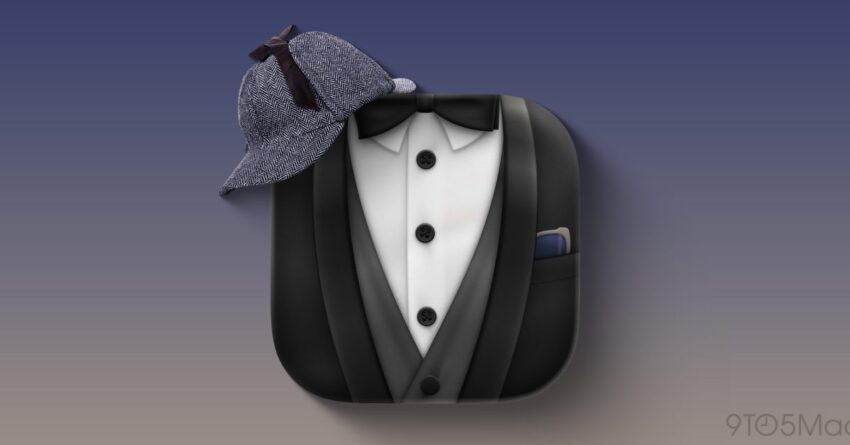
The uncertainty surrounding Bartender’s future has prompted discussions about the potential for Apple to “Sherlock” the app. The term “Sherlocking” refers to the practice of Apple introducing features that replicate those of third-party applications, effectively rendering them obsolete. This has happened in the past with various apps, leading to fears that Bartender may face a similar fate.
Community Reactions
The Bartender user community has been vocal about their concerns. Many users have taken to social media platforms to express their disappointment and frustration over the app’s current state. Some have shared their experiences with alternative solutions, while others have called for a swift update from Surtees Studios to address the compatibility issues.
In addition to user feedback, industry analysts have weighed in on the situation. Some believe that the popularity of Bartender may compel Apple to consider integrating similar features into macOS. However, others argue that the unique functionality of Bartender sets it apart from what Apple typically offers, making it less likely that the company would fully replicate its features.
Implications for Users
The implications of Bartender’s compatibility issues extend beyond mere inconvenience. For many users, the app has become an integral part of their daily workflow. The inability to manage menu bar items effectively can lead to decreased productivity and increased frustration. Users who rely on multiple applications and services may find it challenging to navigate a cluttered menu bar without Bartender’s assistance.
Exploring Alternatives
In light of the current situation, some users have begun exploring alternative solutions for managing their menu bar items. Several other applications offer similar functionality, although they may not provide the same level of customization and user experience that Bartender is known for. Some of these alternatives include:
- Dozer: A free, open-source application that allows users to hide menu bar icons and organize them into a designated area.
- Vanilla: A lightweight app that offers basic menu bar management features, allowing users to hide icons and keep their menu bar tidy.
- Bartender 4: The latest version of Bartender, which may still be functional for some users, depending on their specific macOS setup.
While these alternatives may provide temporary relief, they may not fully replicate the experience that Bartender users have come to expect. The search for a suitable replacement underscores the importance of Bartender in the macOS ecosystem.
The Importance of Third-Party Applications
The situation with Bartender highlights the broader significance of third-party applications in the macOS ecosystem. These applications often fill gaps in functionality that the operating system may not address. They provide users with greater control over their experience and allow for customization that enhances productivity.
As Apple continues to evolve macOS, the role of third-party developers becomes increasingly vital. Users rely on these applications to tailor their experience to their specific needs, and the loss of a beloved tool like Bartender can have a ripple effect on productivity and user satisfaction.
Looking Ahead
As the dust settles on the release of macOS Tahoe 26, the future of Bartender remains uncertain. Users are left waiting for updates from Surtees Studios, hoping for a resolution to the compatibility issues that have disrupted their workflows. The community’s response has been overwhelmingly supportive, with many expressing their desire to see Bartender thrive in the face of adversity.
In the meantime, users must adapt to the changes and explore alternative solutions while keeping an eye on developments from Surtees Studios. The situation serves as a reminder of the importance of third-party applications in enhancing the macOS experience and the potential consequences when these tools become unavailable.
Conclusion
The challenges faced by Bartender users following the release of macOS Tahoe 26 underscore the critical role that third-party applications play in the macOS ecosystem. As users navigate the uncertainty surrounding Bartender’s future, the community’s resilience and adaptability will be key in finding solutions. Whether through alternative applications or a hopeful return of Bartender’s functionality, the commitment to maintaining an organized and efficient workspace remains a priority for Mac users everywhere.
Source: Original report
Was this helpful?
Explore more: Software Development More Software Development Tech News
Last Modified: January 28, 2026 at 3:37 pm
30 views