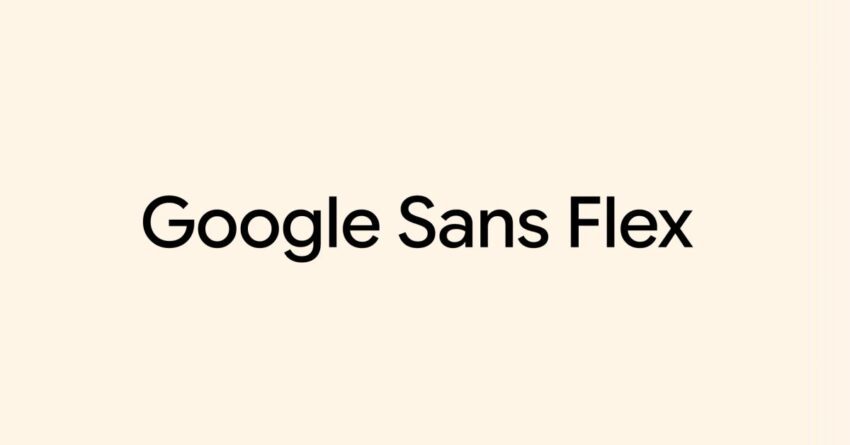
you can now use google sans in Google has made its proprietary font, Google Sans, and its variant, Google Sans Flex, available for use in Google Docs, enhancing the platform’s typography options.
you can now use google sans in
Introduction to Google Sans and Google Sans Flex
In December 2025, Google announced the open-sourcing of its popular font, Google Sans, along with its flexible counterpart, Google Sans Flex. This decision marks a significant step in the evolution of typography within Google’s suite of applications, particularly Google Docs. The introduction of these fonts allows users to utilize a modern, clean typeface that aligns with contemporary design standards.
Google Sans has been widely recognized for its aesthetic appeal and versatility, making it a favored choice for various applications, from web design to print media. Its clean lines and geometric forms contribute to readability and visual clarity, which are essential in both professional and casual settings. Google Sans Flex, on the other hand, offers additional customization options, allowing users to adjust the font’s weight and style to better suit their specific needs.
The Significance of Open-Sourcing Fonts
The decision to open-source Google Sans and Google Sans Flex is significant for several reasons:
- Increased Accessibility: By making these fonts available to the public, Google enables a broader audience to access high-quality typography without the barriers typically associated with proprietary fonts.
- Encouraging Creativity: Designers and content creators can now experiment with these fonts in their projects, fostering innovation and creativity in design.
- Community Contribution: Open-sourcing allows developers and designers to contribute to the ongoing improvement of the fonts, ensuring they evolve to meet user needs.
How to Access Google Sans and Google Sans Flex in Google Docs
To use Google Sans and Google Sans Flex in Google Docs, users can follow these straightforward steps:
- Open a document in Google Docs.
- Click on the font dropdown menu located in the toolbar.
- Select “More fonts” at the top of the list.
- In the font selection window, search for “Google Sans” or “Google Sans Flex.”
- Click on the font to add it to your available fonts, and then select it for use in your document.
This process allows users to seamlessly integrate these fonts into their existing documents, enhancing the overall presentation and readability of their work.
Implications for Users and Designers
The introduction of Google Sans and Google Sans Flex in Google Docs has several implications for users and designers:
Enhanced Design Options
With the addition of these fonts, users now have more options for personalizing their documents. This is particularly beneficial for professionals who rely on Google Docs for creating reports, presentations, and other materials that require a polished appearance. The ability to choose from a modern font like Google Sans can significantly elevate the visual quality of documents.
Impact on Collaboration
Google Docs is widely used for collaborative projects, and the availability of Google Sans and Google Sans Flex can enhance the consistency of design across shared documents. When multiple users contribute to a document, having a unified font choice helps maintain a cohesive look, which is essential for professional presentations.
Potential for Broader Adoption
As Google Sans and Google Sans Flex become more widely used, there is potential for these fonts to gain traction beyond Google Docs. Designers may begin to incorporate them into websites, branding materials, and other digital assets, further establishing Google Sans as a staple in modern typography.
Community Reactions and Feedback
The open-sourcing of Google Sans and Google Sans Flex has garnered positive reactions from the design community. Many designers appreciate the flexibility and modern aesthetic that these fonts offer. Feedback has highlighted several key points:
- Versatility: Users have noted the adaptability of Google Sans Flex, which allows for adjustments in weight and style, making it suitable for various applications.
- Readability: The clean design of Google Sans has been praised for its readability, particularly in digital formats.
- Community Engagement: The open-source nature of the fonts encourages community involvement, with many expressing excitement about the potential for collaborative improvements.
Comparing Google Sans to Other Popular Fonts
To understand the significance of Google Sans and Google Sans Flex, it is helpful to compare them to other popular fonts commonly used in digital and print media.
Google Sans vs. Arial
Arial is one of the most widely used sans-serif fonts. While it is functional and easy to read, Google Sans offers a more modern aesthetic with its geometric shapes and refined design. This makes Google Sans a more appealing choice for contemporary branding and design projects.
Google Sans vs. Helvetica
Helvetica is another iconic sans-serif font known for its clean lines and versatility. However, Google Sans has been designed with a more contemporary feel, making it more suitable for digital applications. Additionally, Google Sans Flex provides customization options that Helvetica does not offer, allowing for greater flexibility in design.
Future Developments and Updates
As Google continues to evolve its suite of applications, users can expect further enhancements to typography and design features. The introduction of Google Sans and Google Sans Flex is just the beginning of a broader initiative to improve user experience through better design tools.
Future updates may include:
- Additional Font Variants: Google may introduce more font styles and weights to expand the options available to users.
- Integration with Other Google Services: Enhanced typography features could be integrated into other Google applications, such as Google Slides and Google Sheets, promoting a consistent design language across the platform.
- Community-Driven Improvements: As the community engages with the open-source fonts, user feedback may lead to updates and improvements based on real-world usage.
Conclusion
The addition of Google Sans and Google Sans Flex in Google Docs represents a significant advancement in the platform’s typography capabilities. By open-sourcing these fonts, Google not only enhances the user experience but also fosters a collaborative environment for designers and developers. As users begin to explore the possibilities offered by these fonts, the potential for creative expression and professional presentation is boundless.
As the digital landscape continues to evolve, the importance of high-quality typography cannot be overstated. Google’s commitment to providing accessible, modern font options sets a precedent for other tech companies, encouraging a shift towards more user-friendly design practices.
Source: Original report
Was this helpful?
Last Modified: January 25, 2026 at 8:53 am
0 views