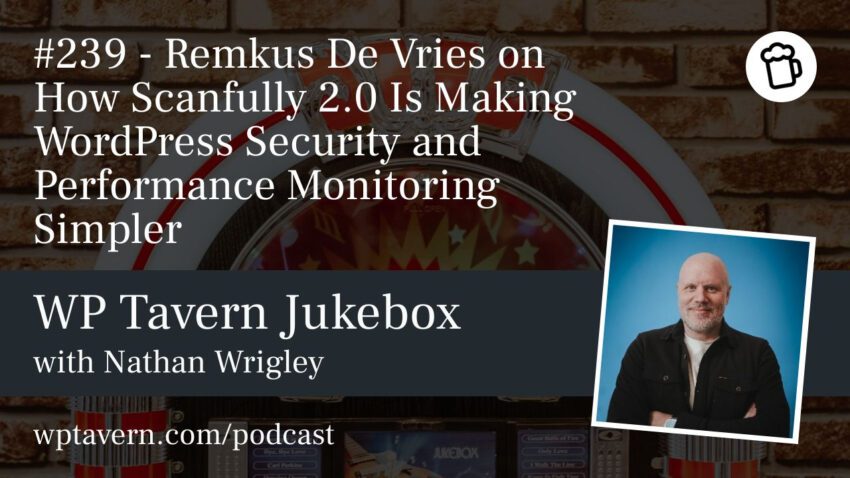
Scanfully 2.0 is pushing WordPress site monitoring toward something closer to an understandable operations dashboard than a pile of raw alerts. In a WP Tavern podcast conversation, co-founder Remkus de Vries explained how the service is trying to make security, performance, email, DNS, and uptime data easier to read, act on, and share across agencies, freelancers, and hosting providers.
Why Remkus de Vries built Scanfully
De Vries has been active in the WordPress space for more than 20 years, first through an agency focused on high-performance, scalable sites. That background shaped Scanfully’s approach: the product is built for people who manage WordPress sites professionally, but do not want to spend their day digging through technical noise.
He said he has always been drawn to the complicated side of web development, especially the parts that affect scale, speed, and reliability. For him, the challenge is not just collecting data, but making it useful to people who are not naturally comfortable with spreadsheets, dashboards, and incident analysis.
What Scanfully monitors
At its core, Scanfully is a site health and monitoring SaaS for WordPress. The platform is designed to track the kinds of issues that can affect a site long before a customer notices them, including vulnerabilities, downtime, and broken email delivery.
It also pulls in adjacent operational signals that matter to site owners and agencies. De Vries said the service monitors DNS, site health data from WordPress, uploads folder size, certificate renewal status, and other indicators that can hint at trouble.
- Uptime and downtime monitoring
- Security and vulnerability alerts
- Email deliverability monitoring
- DNS checking
- WordPress site health data
- Certificate renewal and related checks
- Storage and uploads folder information
The aim, he said, is to help users understand what changed, what broke, and what needs attention, without requiring them to click through each site individually.
Scanfully 2.0 focuses on clarity
The 2.0 release was not described as a change in what Scanfully does, but rather a rethink of how it presents information. De Vries said the redesign came after repeated feedback from users who wanted the dashboard to be easier to interpret and more actionable.
One example he gave involved uptime monitoring. If a server goes down and 25 WordPress sites are affected, sending 25 separate emails does not help the person trying to respond. Scanfully now groups that information so one alert can summarize the issue and list the affected sites.
The same idea applies to security notifications. Instead of flooding users with repetitive messages, the system now aims to consolidate alerts and show severity levels such as high, medium, or low risk. De Vries said that in some cases the most valuable thing is not more data, but a better way to understand the data already being collected.
A dashboard that reads more like a summary
De Vries said the most noticeable shift in 2.0 is that Scanfully is moving away from graphs and raw metrics as the first thing users see. Instead, the dashboard now emphasizes plain-language summaries that highlight the most important issues first.
That means the system can tell users if updates are pending, if email is failing, or if an uptime pattern looks unusual enough to warrant investigation. Users can still drill down into the underlying data, but the starting point is designed to be more human-readable.
He said the changes were driven by a simple problem: the people building monitoring tools often understand the signals too well and forget how opaque they can look from the outside.
API access and MCP support open new workflows
Scanfully 2.0 also introduced a public API, which opens the platform to integrations beyond the WordPress dashboard. That makes it possible for agencies, hosts, or other teams to pull monitoring data into their own systems or present it in custom client-facing views.
Another addition is MCP support, which lets users connect Scanfully to a preferred LLM and ask questions conversationally. In the interview, De Vries described using it to investigate intermittent email-delivery issues. The system pointed him toward conflicting DNS records, which helped him track down the problem inside a transactional email provider’s configuration.
The MCP connection is read-only for monitoring data, though it can be used for safe actions such as creating labels. De Vries stressed that the goal is to let AI assist with analysis, not open up risky write access to sensitive site data.
Who Scanfully is for
De Vries said the product is designed for a broad range of users, from freelancers to agencies to hosting-adjacent companies. The common thread is that they need to stay in control of what is happening across one site or many sites.
The pricing model is straightforward: 299 a month per site. Setup is also intentionally light. Once the WordPress plugin is installed and activated, users click a button to connect it to their Scanfully dashboard, with no API keys to copy and paste.
Version 2.3 adds more granular activity tracking
Although the conversation centered on 2.0, de Vries noted that the platform had already advanced to version 2.3 by the time of the recording. One of the newer additions is smarter user activity tracking, including content changes and administrative actions.
Scanfully now tracks events such as plugin installations, updates, permission changes, administrator email changes, and super admin assignments on multisite installs. The data is pulled asynchronously into the SaaS dashboard rather than stored only inside WordPress, which de Vries said avoids performance problems and keeps the history accessible even if a site goes down.
That design gives users a practical incident timeline. If a website fails, they can look back at the last recorded changes and work backward from there.
What comes next: WooCommerce and forms
De Vries said the rewrite also made it easier to build add-ons. The first major one is WooCommerce checkout monitoring, which was expected to reach beta around the time the podcast aired.
The checkout monitoring feature simulates a full purchasing path: checking that a product is available, adding it to the cart, moving through checkout, and getting as far as the payment handoff without actually processing a transaction. Users can define custom checkout journeys if their store does not follow the standard WooCommerce flow, and any test orders created during the process are cleaned up automatically by the plugin.
Forms are next on the roadmap. De Vries said the team wants to monitor business-critical flows such as contact forms and landing-page forms, because those are often the hidden points where a site can quietly fail.
A product shaped by operational reality
The broader theme of the interview was not just monitoring, but prevention. De Vries said WordPress site owners too often live in a reactive mode, only checking things once a customer complains or something breaks. Scanfully is meant to move that work earlier, so site health becomes part of routine operations rather than a fire drill.
For agencies and site managers juggling many installs, that shift could mean fewer surprises and less manual checking. For de Vries, it is also part of a larger philosophy around craftsmanship: understanding the layers beneath a site, and building systems that help people maintain better ones.
Source: Original report
Was this helpful?
Explore more: WordPress Troubleshooting More WordPress & CMS Tech News
Last Modified: October 28, 2026 at 10:32 pm
2 views