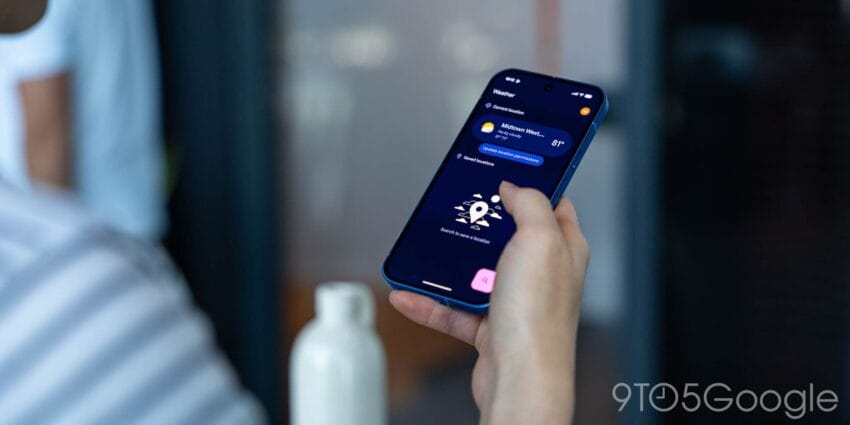
pixel weather adds native widgets large material Google has announced a significant update to the Pixel Weather app, introducing native widgets and substantial enhancements that align with Material 3 design principles.
pixel weather adds native widgets large material
Introduction of Native Widgets
One of the most anticipated features in the latest update to the Pixel Weather app is the introduction of native widgets. This addition allows users to personalize their home screens with weather information at a glance, enhancing the overall user experience. Previously, users had to rely on third-party applications for similar functionality, which often lacked the seamless integration that native widgets provide. The introduction of these widgets marks a pivotal moment in how users interact with weather information on their devices.
Types of Widgets Available
The new native widgets come in various sizes and formats, catering to different user preferences and screen layouts. Users can choose from:
- Small Widget: Displays current temperature and weather conditions, providing quick access to essential information.
- Medium Widget: Offers a more detailed view, including a short-term forecast, which is ideal for users who want a bit more context without overwhelming their home screens.
- Large Widget: Provides comprehensive weather information, including hourly forecasts and severe weather alerts, making it suitable for users who want an in-depth look at upcoming weather patterns.
This variety allows users to select a widget that best fits their needs and aesthetic preferences, making it easier to stay informed about weather conditions without needing to open the app. The flexibility in widget sizes also means that users can tailor their home screens to reflect their personal style while ensuring that critical weather information is always within reach.
Material 3 Design Enhancements
Alongside the introduction of widgets, the Pixel Weather app has undergone significant design changes in line with Google’s Material 3 design principles. Material 3 focuses on creating a more dynamic and expressive user interface, allowing for greater customization and personalization. This design philosophy aims to make applications not only functional but also visually appealing and engaging.
Visual Updates
The update brings a fresh visual aesthetic to the app, including:
- Updated Color Palette: The app now features a broader range of colors that adapt to the time of day and user preferences, enhancing visual appeal. This dynamic color scheme can create a more immersive experience, as users can feel the app is responding to their environment.
- Improved Typography: Text elements have been refined for better readability, ensuring that users can easily access important weather information. Clear and legible text is crucial, especially when users are quickly glancing at their screens for updates.
- Dynamic Elements: The app includes animated transitions and interactive elements that respond to user actions, creating a more engaging experience. These animations can make the app feel more alive, encouraging users to interact with it more frequently.
These enhancements not only improve the app’s look and feel but also contribute to a more intuitive user experience, making it easier for users to navigate and find the information they need. The combination of aesthetics and functionality is essential in retaining user interest and satisfaction.
Functionality Improvements
In addition to visual updates, the Pixel Weather app has seen several functionality improvements. These enhancements aim to provide users with more accurate and timely weather information, which is critical for making informed decisions about daily activities.
Real-Time Updates
The app now offers real-time weather updates, ensuring that users receive the latest information as conditions change. This feature is particularly useful for those who rely on accurate weather data for outdoor activities or travel planning. For instance, a hiker might need to know if rain is approaching, while a commuter may want to avoid getting caught in a sudden downpour. Real-time updates can significantly enhance the app’s utility in everyday life.
Severe Weather Alerts
Another critical improvement is the integration of severe weather alerts. Users can now receive notifications about impending weather events, such as storms or heatwaves, directly through the app. This feature is essential for safety and preparedness, allowing users to take necessary precautions in advance. For example, a user might receive an alert about a severe thunderstorm warning, enabling them to seek shelter or adjust their plans accordingly.
Compatibility with Older Devices
One of the notable aspects of this update is its compatibility with older Pixel devices. Google has made efforts to ensure that even users with older models can benefit from the new features. This approach reflects the company’s commitment to providing value to its user base, regardless of the device’s age. By extending support to older devices, Google enhances the user experience for a broader audience, fostering loyalty among existing customers.
Impact on User Experience
By extending the update to older devices, Google enhances the user experience for a broader audience. Users can enjoy new features without needing to upgrade their hardware, promoting a sense of loyalty and satisfaction among existing customers. This strategy not only benefits users but also positions Google favorably against competitors who may not offer similar support for older devices.
Stakeholder Reactions
The update has garnered positive feedback from various stakeholders, including users, tech analysts, and industry experts. Many users have expressed excitement about the new widgets and design enhancements, highlighting how these changes improve the app’s usability. The introduction of native widgets has been particularly well-received, as it allows for a more personalized experience.
User Feedback
Initial user feedback has been overwhelmingly positive. Many users appreciate the ability to customize their home screens with weather widgets, noting that it adds convenience to their daily routines. The real-time updates and severe weather alerts have also been praised for their practicality and relevance. Users have reported feeling more informed and prepared for changing weather conditions, which is a significant advantage in today’s fast-paced world.
Industry Expert Opinions
Tech analysts have commented on the significance of this update within the broader context of mobile applications. The introduction of native widgets aligns with a growing trend among app developers to prioritize user customization and personalization. Experts believe that such features can enhance user engagement and retention, ultimately benefiting Google in the competitive app market. As users increasingly expect tailored experiences, this update positions Google well to meet those demands.
Implications for Future Updates
The rollout of native widgets and Material 3 enhancements may set the stage for future updates across other Google applications. As the company continues to refine its design language and prioritize user experience, it is likely that similar features will be introduced in other apps within the Google ecosystem. This could lead to a more cohesive experience across various Google services, enhancing overall user satisfaction.
Potential for Cross-App Integration
There is also potential for cross-app integration, where features from the Pixel Weather app could be utilized in other Google applications. For example, weather information could be integrated into Google Calendar or Google Assistant, providing users with a more cohesive experience across platforms. This kind of integration could streamline user interactions, making it easier to plan activities based on weather conditions.
Conclusion
The update to the Pixel Weather app marks a significant step forward in enhancing user experience through the introduction of native widgets and Material 3 design principles. By prioritizing customization, real-time updates, and severe weather alerts, Google is not only improving the functionality of the app but also reinforcing its commitment to user satisfaction. As the tech landscape continues to evolve, such updates will play a crucial role in maintaining user engagement and loyalty. The focus on user experience, combined with the integration of modern design principles, positions Google favorably in an increasingly competitive market.
Source: Original report
Was this helpful?
Explore more: Mobile App Development More Mobile Technology Tech News
Last Modified: September 6, 2025 at 5:20 am
17 views