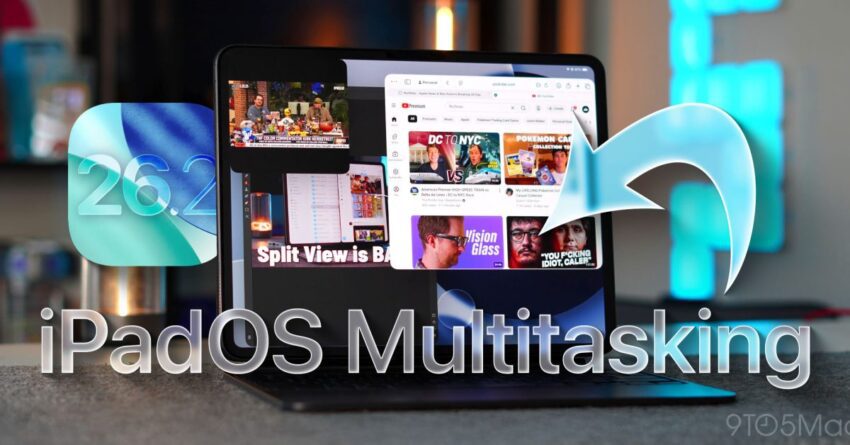
ipados 26 you need to try these The latest release of iPadOS 26 introduces a transformative suite of multitasking features that significantly enhance the user experience on iPads.
ipados 26 you need to try these
Overview of iPadOS 26
iPadOS 26 marks a pivotal evolution in Apple’s approach to multitasking on its tablet devices. This update is not just a minor iteration; it represents the most substantial change to the iPad software since the introduction of iPadOS itself in 2019. With each subsequent version, Apple has progressively refined the multitasking capabilities, and iPadOS 26 is no exception. The enhancements are designed to make multitasking feel more natural, intuitive, and productive, addressing long-standing user requests.
Key Features of iPadOS 26
The new features introduced in iPadOS 26 can be categorized into several key areas, each contributing to a more seamless multitasking experience.
Multitasking Windows in Version 26.0
The initial rollout of iPadOS 26.0 brought forth a redesigned multitasking window interface. This new layout allows users to open multiple applications in a more organized manner, enabling them to switch between tasks with ease. The introduction of full-windowed modes for apps means that users can now enjoy a desktop-like experience, where applications can be resized and positioned according to their preferences. This flexibility is particularly beneficial for users who rely on their iPads for productivity tasks, such as document editing or graphic design.
Refinements in Slide-Over in Version 26.1
Following the initial release, iPadOS 26.1 introduced refinements to the Slide Over feature. Slide Over allows users to quickly access a secondary app without leaving the primary application they are using. The enhancements made in this version include improved gestures for managing Slide Over windows, making it easier to dismiss or switch between apps. Users can now swipe from the side of the screen to bring up the Slide Over panel, which can hold multiple apps, allowing for quick access to frequently used applications. This feature is particularly useful for users who need to reference information from one app while working in another.
The Return of Split View in Version 26.2
Perhaps one of the most anticipated features in iPadOS 26 is the return of Split View in version 26.2. This feature allows users to run two applications side by side, effectively doubling their screen real estate for multitasking. The redesigned Split View is more intuitive, with a simple drag-and-drop interface that lets users select which apps to run together. This is especially advantageous for tasks that require simultaneous input from two different sources, such as comparing documents or taking notes while watching a video. The ease of use and flexibility of Split View makes it a standout feature for power users.
Enhanced User Experience
The combination of these new features creates a multitasking environment that feels cohesive and fluid. Users can transition between tasks without the frustration of losing their place or having to navigate cumbersome menus. The overall design philosophy appears to prioritize user efficiency, allowing for a more productive workflow.
Integration with Stage Manager
Another significant aspect of iPadOS 26 is its integration with Stage Manager, a feature that was introduced in earlier versions but has been refined in this latest update. Stage Manager allows users to manage multiple windows and applications more effectively by providing a visual overview of all open tasks. This feature is particularly useful for users who work with multiple applications simultaneously, as it allows for quick switching and organization of tasks. The combination of Stage Manager with the new multitasking windows creates a powerful tool for productivity, making it easier than ever to juggle various responsibilities.
Personalized Multitasking Experience
One of the standout aspects of iPadOS 26 is the emphasis on personalization. Users can customize their multitasking setup according to their specific needs, whether that involves adjusting window sizes, choosing which apps to keep in Slide Over, or organizing their workspace in Split View. This level of customization ensures that each user can create a multitasking environment that suits their workflow, enhancing overall productivity.
Use Cases and Practical Applications
Having explored the features, it’s essential to consider practical applications and use cases that highlight the benefits of the new multitasking capabilities.
Creative Professionals
For creative professionals, iPadOS 26 offers a robust platform for design and content creation. Graphic designers can utilize Split View to run design software alongside reference materials or tutorials. The ability to resize windows allows for a more tailored workspace, enabling artists to focus on their creative tasks without distractions. Additionally, the Slide Over feature can be employed to quickly access social media apps for sharing work or gathering inspiration without interrupting the creative flow.
Students and Educators
Students can also benefit significantly from the new multitasking features. For instance, they can take notes in one app while referencing a textbook or online resource in another. The ease of switching between apps means that students can engage in more interactive and dynamic learning experiences. Educators can utilize these features to manage lesson plans, presentations, and communication with students, all within a single interface.
Business Professionals
Business professionals will find the multitasking capabilities of iPadOS 26 invaluable for managing their daily tasks. The ability to run email, calendar, and document editing apps simultaneously allows for efficient scheduling and communication. The Slide Over feature can be particularly useful for quickly accessing messaging apps or video conferencing tools while working on reports or presentations. This level of multitasking can lead to improved time management and productivity in a fast-paced work environment.
Stakeholder Reactions
The response to iPadOS 26 has been overwhelmingly positive among users and industry experts alike. Many have praised Apple for finally addressing long-standing requests for improved multitasking capabilities. The enhancements have been viewed as a significant step forward in making the iPad a more viable alternative to traditional laptops for various professional and creative tasks.
User Feedback
User feedback has highlighted the intuitive nature of the new features, with many expressing satisfaction with the ease of use and the overall design. The ability to customize the multitasking experience has been particularly well-received, as it allows users to tailor their workflows to their specific needs. Some users have noted that the new features have significantly improved their productivity, enabling them to accomplish tasks more efficiently.
Industry Expert Opinions
Industry experts have also weighed in on the changes, noting that Apple has successfully bridged the gap between tablet and laptop functionality. The introduction of full-windowed modes and refined multitasking features positions the iPad as a serious contender in the productivity space. Experts believe that these updates will attract a broader audience, including professionals who may have previously overlooked the iPad as a primary work device.
Conclusion
In summary, iPadOS 26 represents a major leap forward in multitasking capabilities for iPad users. The combination of new features, including enhanced multitasking windows, Slide Over refinements, and the return of Split View, creates a cohesive and productive environment for users across various fields. As Apple continues to evolve its software, the implications for productivity and user experience are profound. With iPadOS 26, Apple has not only listened to user feedback but has also set a new standard for what multitasking can achieve on a tablet.
Source: Original report
Was this helpful?
Explore more: Mobile App Development More Mobile Technology Tech News
Last Modified: November 22, 2025 at 11:37 am
15 views