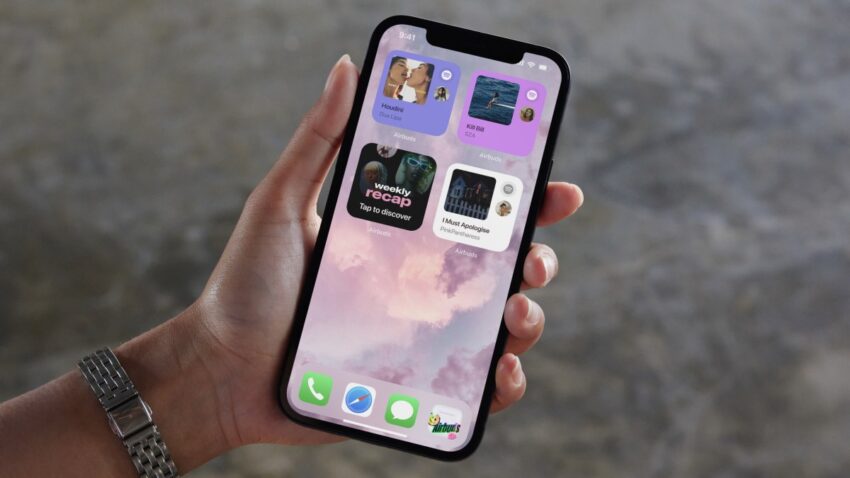
ios 26 1 lets you turn down Apple’s latest iOS update introduces a highly-requested feature that allows users to adjust the transparency of the translucent liquid glass design.
ios 26 1 lets you turn down
Overview of iOS 26.1 Update
Apple’s iOS 26.1 update, released on November 4, 2025, marks a subtle yet significant enhancement to the user experience on iPhones and iPads. While the update does not roll out a host of new features, it addresses a specific user demand that has been echoed across various forums and user feedback channels: the ability to modify the transparency of the liquid glass interface. This change reflects Apple’s ongoing commitment to user customization and accessibility.
What is Liquid Glass Design?
The liquid glass design is a hallmark of Apple’s aesthetic, first introduced in earlier versions of iOS. This design philosophy emphasizes a sleek, modern look that mimics the appearance of glass, with a translucent effect that allows users to see underlying elements of the interface. The design is not just about aesthetics; it also aims to create a sense of depth and fluidity in the user experience. However, while many users appreciate the visual appeal, others have found the transparency level distracting or difficult to work with, particularly in bright environments.
New Transparency Adjustment Feature
The standout feature of the iOS 26.1 update is the new setting that allows users to adjust the transparency of the liquid glass effect. This adjustment can be made through the Settings app under the Display & Brightness section. Users can now choose from a range of transparency levels, allowing for a more personalized interface that can be tailored to individual preferences and environmental conditions.
This feature is particularly beneficial for users who often work in varying lighting conditions. For instance, those who use their devices outdoors may find that a lower transparency level reduces glare and improves readability. Conversely, users who prefer a more immersive experience indoors can opt for a higher transparency setting.
Implications of the Update
The introduction of the transparency adjustment feature has several implications for both users and Apple as a company. First, it enhances user satisfaction by providing a level of customization that many have sought. This aligns with broader trends in technology where personalization is increasingly valued. Users are not just passive consumers of technology; they want tools that adapt to their unique needs and preferences.
User Experience and Accessibility
From an accessibility standpoint, the ability to adjust transparency can significantly improve the user experience for individuals with visual impairments or sensitivity to bright screens. By allowing users to tailor the interface to their needs, Apple is taking steps to make its devices more inclusive. This is particularly important as the company continues to expand its market reach, aiming to cater to a diverse range of users.
Feedback from the Community
The response from the community regarding this update has been largely positive. Many users have taken to social media and forums to express their appreciation for the new feature. Comments often highlight how the ability to adjust transparency enhances usability, particularly in specific contexts like reading or working in bright environments. Some users have noted that this change makes the interface feel more intuitive and user-friendly.
However, not all feedback has been entirely positive. Some users have expressed concerns that the update does not address other long-standing requests, such as additional customization options for icons or widgets. While the transparency feature is a step in the right direction, there are still areas where users feel Apple could improve the iOS experience.
Technical Aspects of the Update
While the transparency adjustment is a user-facing feature, it also involves several technical considerations. The liquid glass design relies on complex rendering techniques that balance performance and visual appeal. Adjusting transparency dynamically requires the system to manage graphical resources efficiently to maintain smooth performance.
Performance Considerations
Apple has a reputation for optimizing its software to work seamlessly with its hardware. The iOS 26.1 update is no exception. Users can expect that the new transparency feature will not significantly impact battery life or overall device performance. Apple’s engineering team has likely conducted extensive testing to ensure that the new feature integrates smoothly with existing functionalities.
Compatibility and Availability
The iOS 26.1 update is available for all compatible iPhone and iPad models that support iOS 26. Users can easily download the update through the Settings app by navigating to General > Software Update. As with any software update, it is advisable for users to back up their devices before proceeding to ensure that no data is lost during the installation process.
Future Directions for iOS
The introduction of the transparency adjustment feature raises questions about the future direction of iOS. As user expectations continue to evolve, Apple may need to consider additional customization options in future updates. Features such as customizable themes, icon packs, and more flexible widget arrangements could be on the horizon as Apple seeks to enhance user engagement and satisfaction.
Market Trends and User Expectations
The tech landscape is increasingly competitive, with various companies vying for user attention and loyalty. Customization has become a key differentiator in this space. Users are looking for platforms that not only meet their functional needs but also allow them to express their individuality. Apple’s decision to implement the transparency adjustment feature is a direct response to this trend, but it may also signal a shift in how the company approaches future updates.
Stakeholder Reactions
Industry analysts and tech commentators have weighed in on the significance of this update. Many view it as a strategic move by Apple to reinforce its commitment to user-centric design. Analysts suggest that by listening to user feedback and implementing changes that enhance usability, Apple can strengthen its brand loyalty and maintain its competitive edge in the market.
Moreover, stakeholders within the company may view this update as a test case for future enhancements. If the transparency adjustment feature proves popular, it could pave the way for more extensive customization options in subsequent iOS releases. This could also influence how Apple approaches design in its hardware products, potentially leading to a more cohesive ecosystem that prioritizes user experience.
Conclusion
The iOS 26.1 update, while not a major overhaul, introduces a valuable feature that enhances user experience through increased customization. The ability to adjust the transparency of the liquid glass design reflects Apple’s responsiveness to user feedback and its commitment to accessibility. As the tech landscape continues to evolve, features like these will be crucial for maintaining user engagement and satisfaction.
As users continue to explore the new transparency settings, it will be interesting to see how this feature influences their interaction with the iOS environment. The success of this update may also set the stage for future enhancements, as Apple navigates the balance between innovation and user preference.
Source: Original report
Was this helpful?
Last Modified: November 4, 2025 at 5:39 pm
3 views