
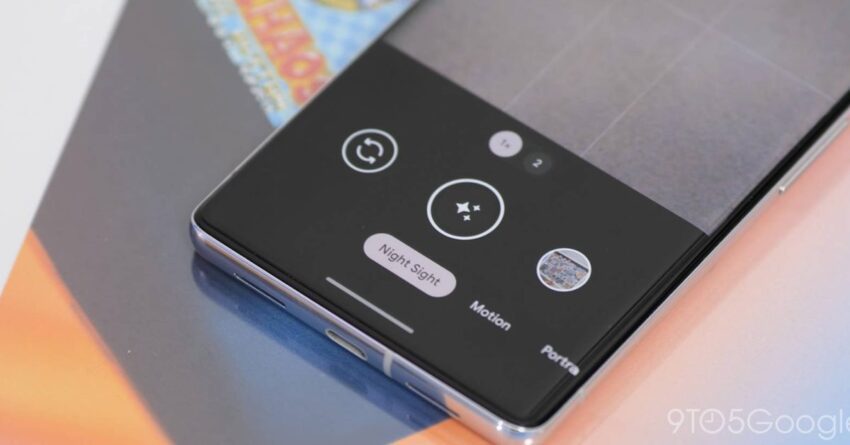
how to take pictures of the northern The Northern Lights have become increasingly visible across vast areas of the Northern Hemisphere, thanks to intensified geomagnetic storms, prompting many to capture this breathtaking phenomenon using their smartphones.
how to take pictures of the northern
Understanding the Northern Lights
The Northern Lights, or Aurora Borealis, are a natural light display predominantly seen in high-latitude regions around the Arctic and Antarctic. These lights occur when charged particles from the sun collide with gases in the Earth’s atmosphere, resulting in stunning displays of color, primarily green, pink, and violet. The intensity and visibility of the Northern Lights can vary, influenced by solar activity and geomagnetic storms.
In recent years, heightened solar activity has led to more frequent and intense geomagnetic storms, making the Northern Lights visible in areas that typically do not experience them. This phenomenon has sparked interest among photographers and casual observers alike, leading to a surge in demand for tips on how to effectively capture these stunning displays using smartphones, particularly Google Pixel and other Android devices.
Preparing for Your Northern Lights Photography Adventure
Before heading out to photograph the Northern Lights, there are several factors to consider to enhance your chances of capturing the perfect shot.
Choosing the Right Location
Location is crucial when it comes to photographing the Northern Lights. Ideally, you should find a spot that is far away from city lights and pollution. National parks, open fields, and elevated areas often provide the best vantage points. Research local aurora forecasts and choose a location known for frequent sightings.
Timing Your Visit
The best time to observe the Northern Lights is during the winter months, typically from late September to early April. This period offers longer nights and clearer skies. Additionally, the lights are most visible between 10 PM and 2 AM, although they can appear at any time during the night. Checking the local weather forecast is essential to ensure clear skies on the night of your photography session.
Understanding Geomagnetic Activity
Monitoring geomagnetic activity can significantly improve your chances of witnessing the Northern Lights. Websites and apps that provide real-time aurora forecasts can help you determine the best nights for viewing. The KP index, which measures geomagnetic activity on a scale of 0 to 9, is a useful tool. A KP index of 5 or higher indicates that the Northern Lights may be visible in lower latitudes.
Setting Up Your Google Pixel or Android Device
Once you have chosen the right location and timing, it’s time to set up your smartphone for capturing the Northern Lights. Google Pixel devices, known for their advanced camera capabilities, are particularly well-suited for this task.
Adjusting Camera Settings
To capture the Northern Lights effectively, you will need to adjust several camera settings:
- Night Sight Mode: Google Pixel devices come equipped with a Night Sight mode, which enhances low-light photography. Activate this mode to improve the quality of your images.
- Long Exposure: If your device allows, switch to a manual mode that lets you adjust the exposure time. A longer exposure time (between 5 to 30 seconds) will help capture more light from the auroras.
- ISO Settings: Set the ISO to a higher value (between 800 and 3200) to increase the camera’s sensitivity to light. However, be cautious, as higher ISO settings can introduce noise into your images.
- Focus: Set your focus to manual and adjust it to infinity. This ensures that the camera captures the lights clearly.
Using a Tripod
Stability is key when taking long-exposure shots. Using a tripod will help eliminate camera shake and ensure sharp images. If you don’t have a tripod, find a stable surface to rest your phone on, such as a rock or a ledge.
Remote Shutter Release
To further minimize camera shake, consider using a remote shutter release or the timer function on your camera app. This allows you to take the shot without physically touching the device, which can cause blurriness.
Capturing the Northern Lights
With your camera settings adjusted and your equipment ready, it’s time to start capturing the Northern Lights.
Framing Your Shot
When composing your photograph, consider including elements of the landscape in the foreground, such as trees, mountains, or lakes. This adds depth to your images and creates a more engaging composition. Experiment with different angles and perspectives to find the most visually appealing shot.
Taking Multiple Shots
Don’t hesitate to take multiple shots. The Northern Lights can change rapidly, and capturing a variety of images increases your chances of getting the perfect shot. Review your images periodically to ensure you’re achieving the desired results.
Post-Processing Your Images
After your photography session, the work doesn’t end. Post-processing can significantly enhance the quality of your images.
Editing Software
Consider using photo editing software or apps to adjust brightness, contrast, and saturation. Google Photos, Adobe Lightroom, and Snapseed are popular options that offer user-friendly interfaces and powerful editing tools.
Enhancing Colors
When editing, you may want to enhance the colors of the auroras to make them pop. Adjusting the vibrance and saturation can help bring out the vivid greens and pinks of the Northern Lights.
Sharing Your Experience
Once you have captured and edited your images, consider sharing your experience on social media or photography platforms. Engaging with communities interested in astrophotography can provide valuable feedback and inspiration for future projects.
Community and Resources
Joining online forums, social media groups, or local photography clubs can connect you with fellow enthusiasts. These communities often share tips, locations, and experiences that can enhance your understanding of astrophotography.
Conclusion
Photographing the Northern Lights can be a rewarding experience, especially with the capabilities of Google Pixel and other Android devices. By preparing adequately, adjusting your camera settings, and employing effective techniques, you can capture stunning images of this natural wonder. Whether you are a seasoned photographer or a casual observer, the Northern Lights offer a unique opportunity to connect with nature and create lasting memories.
Source: Original report
Was this helpful?
Explore more: Mobile App Development More Mobile Technology Tech News
Last Modified: January 20, 2026 at 2:41 pm
24 views














