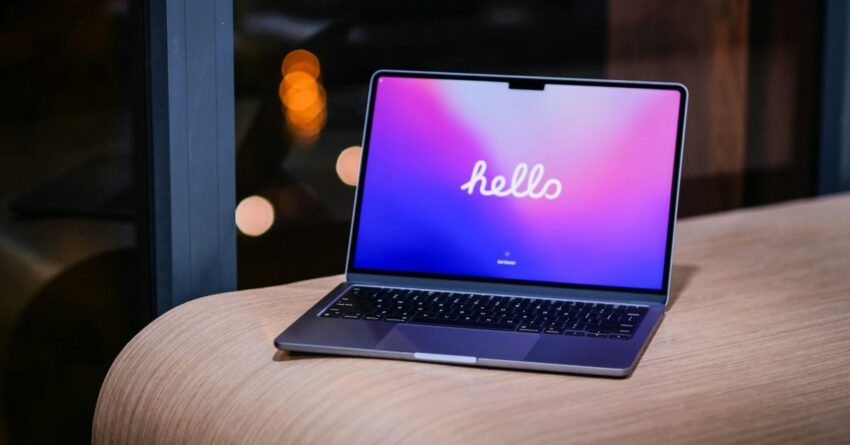
got a new mac here are five For new Mac users or those upgrading to a more advanced model, selecting the right applications can significantly enhance productivity and overall experience.
got a new mac here are five
Essential Applications for New Mac Users
When setting up a new Mac, the initial steps often involve personalizing the system and installing essential applications that cater to individual needs. Here are five indispensable apps that can elevate your Mac experience, whether you are a student, professional, or casual user.
1. Alfred
Alfred is a powerful productivity application that serves as a replacement for the standard Spotlight search feature on macOS. This app allows users to quickly launch applications, search files, and perform web searches with just a few keystrokes. Its customizable workflows enable users to automate repetitive tasks, making it a must-have for anyone looking to enhance efficiency.
One of the standout features of Alfred is its clipboard history manager, which allows users to access previously copied items. This feature can be particularly useful for those who frequently copy and paste text or images. Additionally, Alfred supports various plugins and themes, allowing users to tailor the app to their specific preferences.
For users who opt for the Powerpack upgrade, Alfred offers even more advanced features such as file navigation, snippets, and deeper integration with other applications. This makes it an invaluable tool for power users who want to streamline their workflow.
2. Magnet
Magnet is an application designed to enhance window management on macOS. With the increasing number of applications and browser tabs that users juggle, organizing windows efficiently becomes crucial. Magnet allows users to snap windows into various positions on the screen, making multitasking easier than ever.
With a simple drag-and-drop interface, users can quickly arrange their workspace to suit their needs. Magnet supports keyboard shortcuts, enabling users to move and resize windows without using the mouse. This feature is particularly beneficial for those who prefer a keyboard-centric workflow.
Moreover, Magnet’s ability to support multiple displays makes it an excellent choice for users with dual or even triple monitor setups. By allowing users to manage their windows seamlessly across screens, Magnet ensures that productivity remains high, regardless of the workspace configuration.
3. Todoist
Todoist is a task management application that helps users stay organized and on top of their responsibilities. Whether you are managing personal tasks or collaborating on team projects, Todoist offers a robust platform for tracking your to-do lists.
The app’s intuitive interface allows users to create tasks, set deadlines, and categorize them into projects. Todoist also features a priority system, enabling users to highlight urgent tasks. For those who work in teams, Todoist offers collaboration features, allowing users to share projects and delegate tasks effectively.
Additionally, Todoist integrates with various other applications, including Google Calendar and Dropbox, making it a versatile tool for managing tasks across different platforms. The ability to access Todoist on multiple devices ensures that users can stay organized, whether they are at their desk or on the go.
4. 1Password
In an age where online security is paramount, 1Password is an essential application for managing passwords and sensitive information. This password manager securely stores passwords, credit card details, and other private information, allowing users to access them with ease.
1Password employs strong encryption methods to protect user data, ensuring that sensitive information remains secure. The app also features a password generator, which creates complex passwords to enhance security across various accounts. This feature is particularly useful for users who struggle to create and remember unique passwords for different services.
Furthermore, 1Password offers a family plan, allowing multiple users to share access while maintaining individual security. This makes it an excellent choice for families or teams looking to manage passwords collectively without compromising security.
5. Notion
Notion is an all-in-one workspace application that combines note-taking, project management, and collaboration tools into a single platform. Its versatility makes it suitable for a wide range of users, from students to professionals.
With Notion, users can create notes, databases, and kanban boards, all within a customizable interface. The app’s flexibility allows users to design their workspace according to their preferences, making it easy to manage projects and track progress.
Notion also supports real-time collaboration, enabling teams to work together seamlessly. The ability to share pages and collaborate on documents makes it a valuable tool for remote teams or group projects. Additionally, Notion’s integration with other applications enhances its functionality, allowing users to connect their favorite tools within the platform.
Why These Apps Matter
Choosing the right applications can significantly impact productivity and user experience on a Mac. Each of the apps mentioned above addresses specific needs, from task management to security, ensuring that users can work efficiently and effectively.
For new Mac users, understanding the capabilities of these applications can lead to a smoother transition into the macOS ecosystem. By installing tools that enhance productivity and organization, users can focus on what matters most—achieving their goals.
Implications for Users
The selection of applications can also reflect broader trends in technology and user preferences. As more individuals shift to remote work and digital collaboration, the demand for tools that facilitate communication and organization continues to grow. Applications like Notion and Todoist cater to this need, providing users with the resources they require to stay productive in a digital-first world.
Moreover, the emphasis on security in applications like 1Password highlights the increasing awareness of online threats. As cyberattacks become more sophisticated, users are prioritizing tools that protect their sensitive information. This shift underscores the importance of integrating security features into everyday applications.
Stakeholder Reactions
Feedback from users and industry experts alike underscores the significance of these applications in enhancing the Mac experience. Many users report increased productivity and improved organization after incorporating these tools into their daily routines. Reviews often highlight the user-friendly interfaces and robust features that set these applications apart from their competitors.
Industry experts emphasize the importance of selecting applications that align with individual workflows. They recommend that users take the time to explore various options and find the tools that best suit their needs. This personalized approach can lead to a more satisfying and productive experience on macOS.
Conclusion
In conclusion, whether you are a new Mac user or someone upgrading to a more powerful machine, the right applications can make a significant difference in your workflow. From productivity enhancers like Alfred and Magnet to organizational tools like Todoist and Notion, these apps cater to a variety of needs and preferences.
As technology continues to evolve, staying informed about the best tools available can help users maximize their potential and navigate the complexities of modern work and life. By investing time in selecting and mastering these essential applications, Mac users can ensure a seamless and productive experience.
Source: Original report
Was this helpful?
Explore more: More Consumer Technology Tech News Blog
Last Modified: December 26, 2025 at 7:38 am
17 views