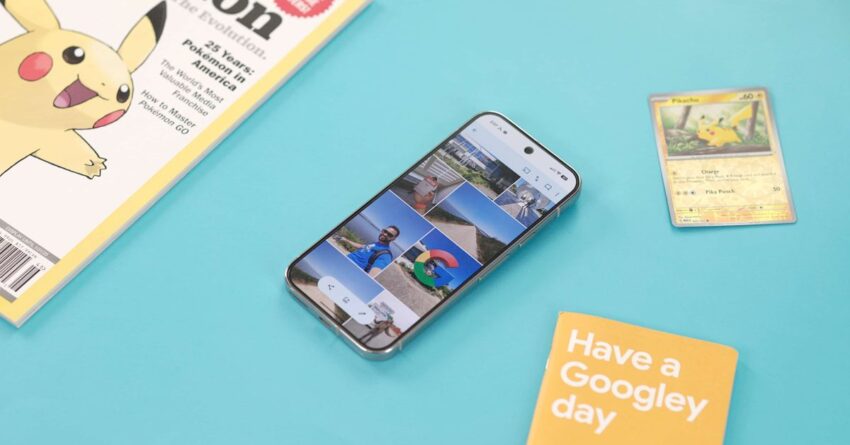
google photos rolling out floating toolbar to Google Photos is set to transition from its traditional bottom bar navigation to a more modern floating toolbar, a change that will initially roll out on iOS devices.
google photos rolling out floating toolbar to
Overview of the Change
For years, Google Photos has maintained a bottom navigation bar, a design choice that has differentiated it from many of Google’s other Android applications. However, with the increasing trend towards more dynamic user interfaces, Google has decided to adopt a floating toolbar for its photo management app. This shift aligns with the design philosophy seen in many of its other applications, such as Google Maps and Gmail, which have already embraced this more flexible navigation style.
Details of the Floating Toolbar
The floating toolbar is designed to provide users with quick access to essential features without cluttering the screen. Unlike the fixed bottom bar, the floating toolbar will allow for a more immersive experience, enabling users to focus on their photos while still having access to key functionalities. This design is expected to enhance usability, particularly for those who frequently edit or share their images.
Key Features of the Floating Toolbar
- Dynamic Access: The floating toolbar will adapt based on user actions, providing contextually relevant options. For instance, when editing a photo, the toolbar may display editing tools, while during sharing, it will highlight sharing options.
- Improved Screen Real Estate: By moving to a floating design, Google Photos can maximize the available screen space, allowing users to view larger images without distractions.
- Enhanced User Experience: The floating toolbar is expected to streamline navigation, making it easier for users to find and utilize various features without having to navigate through multiple screens.
Implications for Users
This transition to a floating toolbar is not just a cosmetic change; it has significant implications for how users interact with the app. The move reflects a broader trend in app design, where user experience is prioritized through more intuitive navigation systems. Users can expect a more fluid interaction with the app, which could lead to increased engagement and satisfaction.
User Feedback and Reactions
Initial reactions from users who have tested the floating toolbar have been generally positive. Many appreciate the increased accessibility of features and the cleaner interface. However, some users have expressed concerns about the learning curve associated with adapting to the new navigation style. Google has acknowledged these concerns and is likely to provide tutorials or tips to help users transition smoothly.
Comparative Analysis with Other Google Apps
The decision to implement a floating toolbar in Google Photos mirrors similar updates across other Google applications. For instance, Google Maps has successfully integrated a floating action button that allows users to quickly access navigation features without obstructing the map view. This consistency in design across Google’s suite of applications not only enhances user familiarity but also reinforces brand identity.
Benefits of Consistency in Design
Maintaining a consistent design language across applications can significantly benefit users. It reduces the cognitive load required to navigate different apps, as users can rely on familiar layouts and interactions. This consistency is particularly important for users who frequently switch between Google services, such as Google Drive, Gmail, and Google Photos.
Technical Aspects of the Update
From a technical standpoint, the transition to a floating toolbar may involve significant backend changes. Developers will need to ensure that the new toolbar integrates seamlessly with existing features and that it performs well across a range of devices. This includes optimizing the toolbar for different screen sizes and resolutions, as well as ensuring that it does not interfere with the app’s performance.
Potential Challenges
While the floating toolbar presents numerous advantages, it is not without its challenges. Some potential issues include:
- Compatibility: Ensuring that the floating toolbar works smoothly on various iOS devices, including older models, may pose a challenge.
- User Adaptation: Users accustomed to the bottom bar may initially struggle with the new layout, requiring Google to invest in user education.
- Performance Optimization: Developers must ensure that the new design does not negatively impact the app’s speed or responsiveness.
Future Developments
As Google rolls out the floating toolbar, it is likely to gather user feedback to refine the feature further. Future updates may include additional customization options, allowing users to tailor the toolbar to their preferences. This could involve choosing which features are most important to them and adjusting the toolbar accordingly.
Long-Term Vision for Google Photos
The introduction of the floating toolbar is part of a broader vision for Google Photos. As the app continues to evolve, Google aims to incorporate more AI-driven features, such as enhanced photo editing tools and smarter organization options. The floating toolbar could serve as a foundation for these advancements, providing a flexible interface that can adapt to new functionalities as they are introduced.
Conclusion
The transition from a bottom navigation bar to a floating toolbar in Google Photos marks a significant shift in the app’s design philosophy. This change not only aligns Google Photos with other Google applications but also enhances the overall user experience by providing a more dynamic and immersive interface. As users adapt to this new navigation style, it will be interesting to see how Google continues to innovate within the app, potentially setting new standards for photo management applications.
Source: Original report
Was this helpful?
Explore more: Mobile App Development More Mobile Technology Tech News
Last Modified: February 13, 2026 at 11:46 am
31 views