google home app can now transfer your The Google Home app has introduced a new feature that allows users to transfer multiple old Nest devices to the new app with a single tap, streamlining the setup process significantly.
google home app can now transfer your
Overview of the New Feature
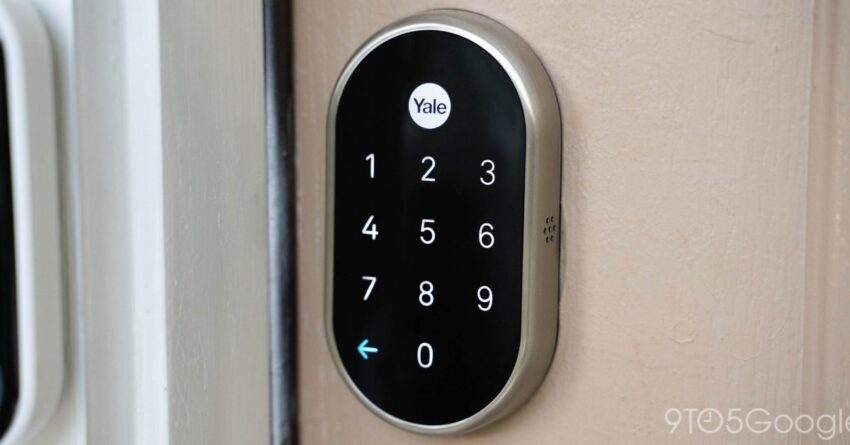
In a significant update, the Google Home app now supports the bulk transfer of various Nest devices, including Nest Cams and the Nest x Yale Lock. Previously, users had to transfer each device individually, a process that could be time-consuming and cumbersome. This new feature aims to enhance user experience by simplifying the transition to the updated app interface.
Devices Included in the Transfer
The transfer functionality encompasses a range of Nest devices, making it easier for users to manage their smart home ecosystems. The following devices are included in this update:
- Nest Cams
- Nest x Yale Lock
- Nest Protect
- Nest Hub
- Nest Thermostat
This comprehensive support means that users can now migrate their entire Nest ecosystem in one go, rather than dealing with each device separately. This is particularly beneficial for users with multiple devices, as it saves time and reduces the potential for errors during the transfer process.
Implications of the Update
The introduction of this bulk transfer feature has several implications for both users and Google. For users, the most immediate benefit is the reduction in time and effort required to set up their smart home devices. This is especially relevant for those who may not be tech-savvy or who may have limited time to dedicate to such tasks.
From a business perspective, this update may help Google retain users who might otherwise consider switching to competing smart home ecosystems. By making the transition to the Google Home app more user-friendly, Google is likely aiming to enhance customer satisfaction and loyalty. This is crucial in a market where competition is fierce, with companies like Amazon and Apple also vying for dominance in the smart home sector.
Feedback from Users
Initial feedback from users regarding the new transfer feature has been largely positive. Many have expressed relief at the streamlined process, noting that it alleviates the frustration of having to set up each device individually. Users have taken to social media and forums to share their experiences, with many praising Google for listening to customer feedback and implementing this much-requested feature.
However, some users have also reported issues during the transfer process, such as devices not appearing in the app or connectivity problems. While these issues are not uncommon during software updates, they highlight the importance of thorough testing and user support during such transitions.
Background on Google Home and Nest Integration
The integration of Google Home and Nest has been a focal point for Google since it acquired Nest Labs in 2014. The acquisition aimed to bolster Google’s presence in the smart home market, allowing for a more cohesive ecosystem of devices that could be easily controlled through a single app.
Over the years, Google has made significant strides in integrating Nest devices into the Google Home app. This has included updates to the app interface, improved device compatibility, and enhanced features that leverage Google Assistant capabilities. The recent addition of bulk transfer functionality is a continuation of this trend, reflecting Google’s commitment to improving user experience.
Challenges Faced by Users
Despite the advancements, users have faced challenges during the transition from the old Nest app to the Google Home app. Many have reported issues such as:
- Difficulty in finding devices in the new app
- Connectivity issues between devices and the app
- Confusion regarding the features available in the new app compared to the old one
These challenges have led to a mixed reception of the Google Home app, with some users expressing frustration over the transition process. Google has acknowledged these concerns and has been working to address them through regular updates and user support initiatives.
Future Developments
As Google continues to enhance the Google Home app, users can expect further improvements and features aimed at simplifying the smart home experience. The company has hinted at upcoming updates that may include:
- Enhanced device compatibility
- Improved user interface for easier navigation
- New automation features that leverage AI capabilities
These potential updates indicate Google’s commitment to not only retaining existing users but also attracting new customers to its ecosystem. As the smart home market continues to evolve, the ability to adapt and innovate will be crucial for Google’s success.
Stakeholder Reactions
Reactions from stakeholders in the tech industry have been generally favorable. Analysts have noted that the bulk transfer feature is a strategic move that could enhance Google’s competitive edge in the smart home market. By addressing user pain points and streamlining processes, Google is positioning itself as a user-centric brand.
Industry experts have also pointed out that this update could lead to increased sales of Nest devices, as users who may have been hesitant to invest in smart home technology due to setup complexities may now feel more inclined to do so. This could result in a broader adoption of smart home technology, further solidifying Google’s position in the market.
Conclusion
The Google Home app’s new feature allowing for the bulk transfer of Nest devices marks a significant step forward in enhancing user experience. By simplifying the transition process, Google is not only addressing user concerns but also positioning itself favorably in a competitive landscape. As the smart home market continues to grow, features like these will be essential in attracting and retaining customers.
Looking ahead, it will be interesting to see how Google builds on this update and what further innovations it brings to the Google Home app. For now, users can enjoy a more streamlined experience as they manage their smart home devices.
Source: Original report
Was this helpful?
Explore more: More Consumer Technology Tech News Blog
Last Modified: December 18, 2025 at 11:52 pm
18 views