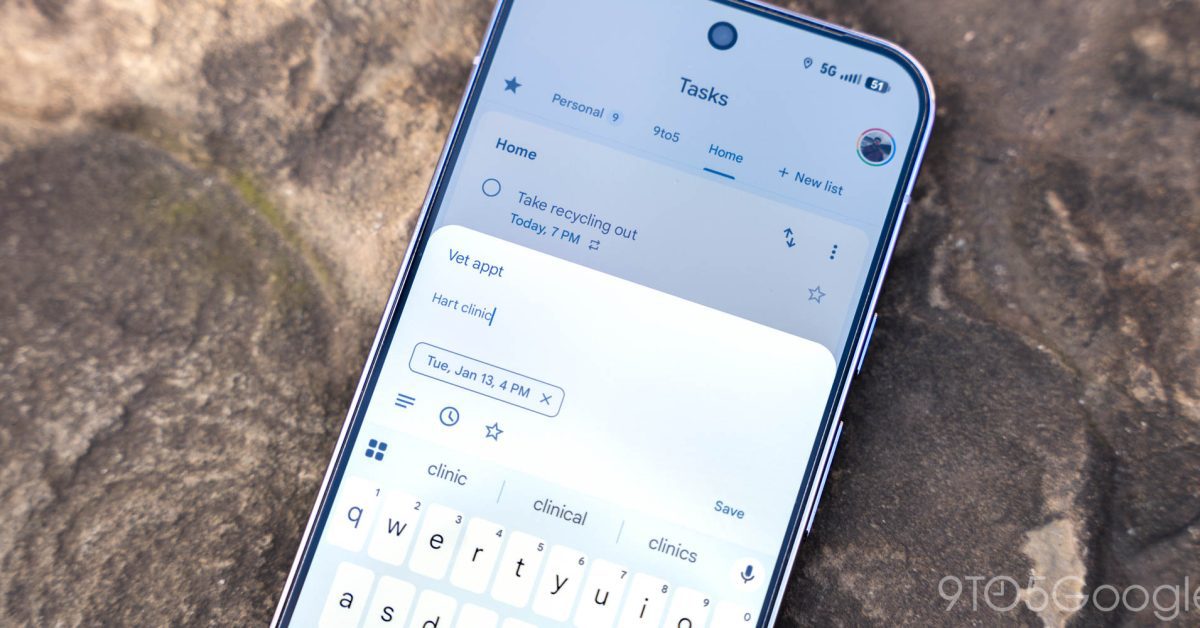
gboard material 3 expressive redesign of shortcuts Google’s Gboard is set to reintroduce its Material 3 expressive redesign of shortcuts, enhancing user experience through a more visually appealing and functional interface.
gboard material 3 expressive redesign of shortcuts
Overview of Gboard’s Redesign
Gboard, Google’s popular keyboard application for Android and iOS, has undergone a significant redesign with the introduction of Material 3. This update aims to provide users with a more expressive and personalized experience. Material 3, which is part of Google’s broader Material Design system, focuses on creating interfaces that are not only functional but also visually appealing and adaptable to user preferences.
What is Material 3?
Material 3 is the latest iteration of Google’s design language, which emphasizes a more dynamic and customizable user interface. It builds upon the principles established in previous versions of Material Design while introducing new elements that allow for greater personalization. Key features of Material 3 include:
- Dynamic Color: This feature allows the interface to adapt its color scheme based on the user’s wallpaper, creating a cohesive look across applications.
- Improved Typography: Material 3 introduces new type styles that enhance readability and visual hierarchy.
- Shape and Motion: The redesign incorporates more fluid shapes and animations, making interactions feel more natural and engaging.
By integrating these elements, Gboard aims to create a more immersive typing experience that resonates with users on a personal level.
Key Features of the Gboard Redesign
The expressive redesign of shortcuts in Gboard is one of the most notable changes in this update. This feature allows users to access frequently used functions more intuitively and efficiently. Some of the key features include:
Enhanced Shortcuts
The redesigned shortcuts are now more visually distinct, making it easier for users to identify and access them. The new layout organizes shortcuts in a way that prioritizes usability, allowing users to quickly find what they need without unnecessary scrolling or searching.
Personalized Suggestions
With the integration of machine learning algorithms, Gboard can now offer personalized suggestions based on the user’s typing habits and preferences. This feature not only speeds up the typing process but also reduces the likelihood of errors, as the keyboard learns to predict the words and phrases that users are most likely to use.
Emoji and Sticker Integration
The redesign also emphasizes the integration of emojis and stickers, making it easier for users to express themselves in their conversations. The new emoji picker is more accessible, allowing users to find and insert emojis quickly. Additionally, the inclusion of stickers adds a fun and creative element to messaging.
User Experience and Feedback
Initial feedback from users who have tested the redesigned Gboard has been largely positive. Many users appreciate the aesthetic improvements and the enhanced functionality of the shortcuts. The dynamic color feature, in particular, has received praise for its ability to create a more cohesive and visually appealing interface.
Accessibility Considerations
Google has also made strides in ensuring that the Gboard redesign is accessible to all users. The new design includes features such as improved contrast ratios and larger touch targets, making it easier for users with visual impairments or motor difficulties to interact with the keyboard.
Implications for Future Updates
The reintroduction of the Material 3 expressive redesign in Gboard may signal a broader trend in Google’s approach to app development. As user expectations evolve, there is a growing demand for applications that not only function well but also provide a visually engaging experience. This shift could influence future updates across Google’s suite of applications, encouraging a more integrated and cohesive design language.
Impact on Competitors
As Gboard continues to innovate, it may also prompt competitors to enhance their offerings. Other keyboard applications may feel pressured to adopt similar design principles or features to remain competitive in the market. This could lead to a wave of updates across various platforms, ultimately benefiting users through improved functionality and design.
Conclusion
The return of the Material 3 expressive redesign of shortcuts in Gboard marks a significant step forward in enhancing user experience. By prioritizing personalization, accessibility, and visual appeal, Google is setting a new standard for keyboard applications. As users continue to seek more engaging and efficient ways to communicate, Gboard’s innovative approach may well redefine the landscape of mobile typing.
Source: Original report
Was this helpful?
Explore more: Mobile App Development More Mobile Technology Tech News
Last Modified: June 9, 2026 at 9:52 pm
10 views