what happened when i let android tools In an experiment to enhance productivity, a user decided to rely entirely on Android tools to schedule their week, moving away from traditional mental notes and reminders.
what happened when i let android tools
Transitioning to a Digital Calendar
For years, I relied heavily on my mental notes and sticky reminders to keep track of my daily tasks and appointments. My Google Calendar was seldom used, only pinging me for significant events like meetings or birthdays. The rest of my schedule existed solely in my mind, a mental juggling act that often left me feeling overwhelmed and disorganized. However, I realized that this approach was not sustainable, especially as my responsibilities grew. It was time to explore how technology could streamline my planning process.
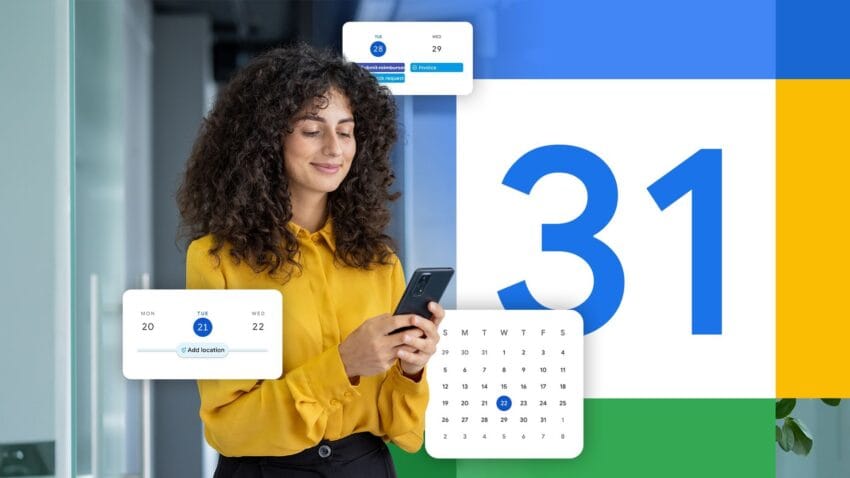
With the increasing capabilities of Android tools, I decided to take the plunge and let my digital calendar dictate my week. This meant not just scheduling meetings or important dates but organizing every aspect of my daily life—from work tasks to personal errands and even leisure activities. The goal was to see if this structured approach could enhance my productivity and reduce the mental clutter that often accompanied my previous methods.
Setting Up the Framework
To begin this experiment, I first needed to set up my Google Calendar effectively. I started by categorizing my tasks into different segments: work, personal, and leisure. This categorization would help me visualize my week more clearly and ensure that I allocated time for all aspects of my life.
Creating Color-Coded Categories
One of the features I found particularly useful was the ability to color-code events. I assigned specific colors to each category:
- Work: Blue
- Personal: Green
- Leisure: Yellow
This visual differentiation made it easier to glance at my calendar and understand how my time was distributed. I also set up reminders for each task, ensuring that I would receive notifications ahead of time. This was a significant shift from my previous reliance on memory alone.
Integrating Other Tools
In addition to Google Calendar, I explored other Android tools that could complement my scheduling efforts. Apps like Todoist and Trello offered task management features that allowed me to break down larger projects into manageable steps. By integrating these tools with my calendar, I could ensure that my tasks were not only scheduled but also actionable.
The First Week: Observations and Challenges
As I embarked on this new scheduling method, the first week proved to be both enlightening and challenging. I quickly discovered that having a structured calendar was not just about filling in time slots; it required a mindset shift and a commitment to stick to the plan.
Adapting to a Structured Schedule
Initially, I found it difficult to adhere strictly to the schedule I had created. The flexibility I was accustomed to was suddenly replaced with a more rigid framework. For instance, I had allocated specific time blocks for tasks that I typically approached more casually. This change led to a few instances where I felt rushed or stressed, particularly when unexpected interruptions arose.
However, I also noticed that having a set schedule helped me focus better. Instead of flitting between tasks or getting sidetracked by distractions, I was more intentional about my time. When the calendar notified me that it was time to switch tasks, I found it easier to refocus my attention and dive into the next item on my list.
Time Management and Productivity
One of the most significant benefits I experienced was improved time management. By allocating specific time slots for each task, I became more aware of how long certain activities took. For example, I had always underestimated the time required for email correspondence. With a dedicated hour scheduled for emails, I was able to complete them more efficiently, freeing up time for other important tasks.
Additionally, I discovered that I was more productive during my scheduled work sessions. The knowledge that I had a limited amount of time to complete a task pushed me to work more diligently. This newfound focus led to a noticeable increase in my output, as I was no longer distracted by the myriad of other tasks swirling in my mind.
Personal Life and Leisure Activities
While the experiment primarily focused on work-related tasks, I made a conscious effort to include personal and leisure activities in my calendar. This was crucial for maintaining a balanced lifestyle and ensuring that I did not fall into the trap of workaholism.
Scheduling Downtime
I allocated specific time slots for exercise, reading, and even socializing with friends. This was a departure from my previous habit of squeezing in leisure activities whenever I found a spare moment. By scheduling downtime, I found that I was more likely to engage in these activities, as they were now treated with the same importance as work tasks.
Moreover, having leisure activities scheduled allowed me to disconnect from work more effectively. Knowing that I had set aside time for relaxation made it easier to step away from my computer and enjoy my evenings without the nagging feeling that I should be working.
Social Interactions and Relationships
Another aspect I focused on was maintaining social connections. I scheduled regular catch-ups with friends and family, which helped me prioritize relationships that often took a backseat to work. This intentional approach to socializing not only strengthened my connections but also provided a much-needed emotional boost during a busy week.
Reflections and Future Considerations
As the week came to a close, I took some time to reflect on the experience. The experiment of allowing Android tools to schedule my entire week was both a challenge and a revelation. While there were moments of frustration, the overall benefits were undeniable.
Lessons Learned
1. **Flexibility is Key:** While a structured schedule can enhance productivity, it’s essential to remain flexible. Life is unpredictable, and being too rigid can lead to unnecessary stress. I learned to build in buffer times for unexpected events or tasks that took longer than anticipated.
2. **Prioritization Matters:** Having a clear view of my tasks allowed me to prioritize effectively. I realized that not all tasks are created equal, and focusing on high-impact activities can lead to greater satisfaction and accomplishment.
3. **Balance is Essential:** Scheduling leisure and personal time is just as important as work tasks. A balanced schedule leads to a more fulfilling life and prevents burnout.
Looking Ahead
Moving forward, I plan to continue using Android tools to manage my schedule. However, I will incorporate the lessons learned from this experiment. I intend to maintain a flexible approach, prioritize effectively, and ensure that I allocate time for both work and personal activities.
Ultimately, this experience has shown me that technology can be a powerful ally in managing time and enhancing productivity. By embracing digital tools, I can create a more organized, balanced, and fulfilling life.
Was this helpful?
Explore more: Mobile App Development More Mobile Technology Tech News
Last Modified: September 8, 2025 at 6:29 pm
6 views