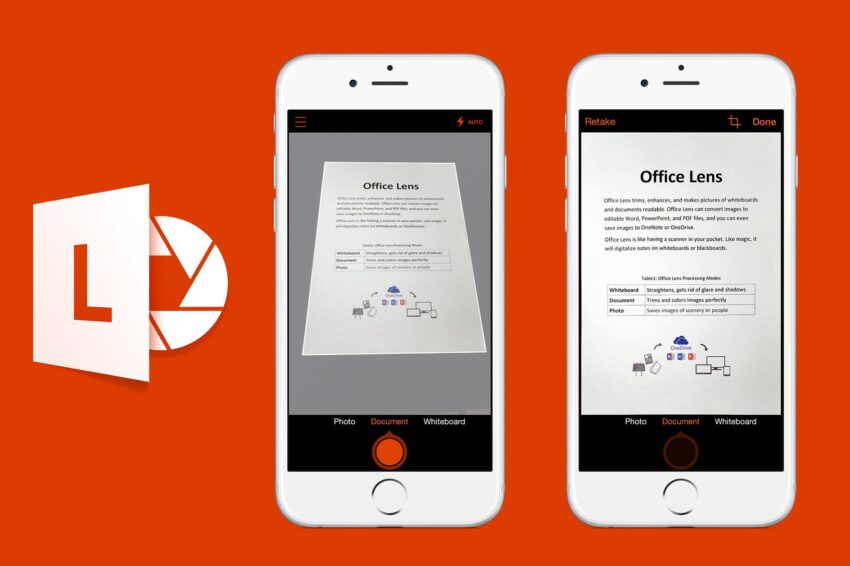
microsoft is retiring its office lens app Microsoft has announced the retirement of its Office Lens app, a popular scanning tool, for both iOS and Android devices.
microsoft is retiring its office lens app
Overview of Office Lens
Launched in 2015, Office Lens was designed to serve as a portable scanner, allowing users to capture images of documents, whiteboards, and receipts with their smartphones. The app quickly gained traction among students, professionals, and anyone needing a quick and efficient way to digitize physical documents. By leveraging the camera capabilities of mobile devices, Office Lens enabled users to create high-quality scans that could be saved, edited, and shared easily.
Retirement Announcement
Microsoft has officially announced that it will discontinue support for the Office Lens app on February 9, 2023. Following this date, the app will cease to function entirely on March 9, 2023. This decision marks a significant shift in Microsoft’s approach to document scanning, as the features previously exclusive to Office Lens will now be integrated into OneDrive, Microsoft’s cloud storage service.
Transition to OneDrive
The integration of Office Lens features into OneDrive is part of Microsoft’s broader strategy to streamline its applications and services. Users will still have the ability to capture images of whiteboards, documents, and receipts, but these functionalities will now be embedded within the OneDrive app. This transition aims to reduce redundancy and enhance user experience by consolidating tools into a single platform.
With OneDrive, users can capture images and save them directly to their cloud storage. The app offers features that allow for the conversion of images into editable Word or PDF documents. Additionally, OneDrive provides options for cropping and rotating images to ensure that the final product meets the user’s needs. This shift is indicative of a larger trend in the tech industry, where companies are increasingly focusing on integrated solutions rather than standalone applications.
Implications for Users
The retirement of Office Lens may have several implications for its user base. For many, the app has been a reliable tool for capturing important information on the go. The transition to OneDrive may require users to adapt to a new workflow, especially if they have grown accustomed to the specific features and interface of Office Lens.
Learning Curve
While OneDrive offers similar functionalities, users who are unfamiliar with the cloud storage service may face a learning curve. The integration of scanning features into OneDrive means that users will need to familiarize themselves with the app’s interface and capabilities. This could be particularly challenging for those who primarily used Office Lens for its scanning features and may not have engaged with OneDrive extensively.
Potential Benefits
On the other hand, the integration could provide several benefits. By consolidating tools, Microsoft may improve the overall efficiency of its services. Users who utilize both Office Lens and OneDrive will find it convenient to have all their document management needs in one place. Furthermore, the cloud-based nature of OneDrive allows for easier access to scanned documents from multiple devices, enhancing flexibility and usability.
Stakeholder Reactions
The announcement has elicited a range of reactions from stakeholders, including users, educators, and business professionals. Many users have expressed disappointment over the retirement of Office Lens, citing its ease of use and effectiveness as a scanning tool. For students and professionals who rely on quick document capture, the app has been a valuable resource.
Feedback from Users
Some users have taken to social media to voice their concerns, with many highlighting the app’s user-friendly interface and the quality of scans it produced. Comments from users indicate a strong preference for the simplicity and directness of Office Lens compared to the more comprehensive features of OneDrive, which may feel overwhelming to some.
Educational Institutions
Educational institutions that have integrated Office Lens into their teaching methodologies may also feel the impact of this change. Teachers and students alike have used the app for capturing notes from whiteboards, digitizing handouts, and organizing study materials. The transition to OneDrive may require educators to rethink how they incorporate technology into their classrooms.
Context of the Decision
Microsoft’s decision to retire Office Lens is part of a larger trend in the tech industry where companies are increasingly focusing on integrated solutions. As mobile technology continues to evolve, users are looking for seamless experiences that allow them to manage multiple tasks within a single application. By integrating Office Lens features into OneDrive, Microsoft aims to meet this demand while also optimizing its resources.
Market Trends
The move aligns with market trends that favor multifunctional applications over standalone tools. Users are increasingly seeking solutions that can handle a variety of tasks without the need to switch between multiple apps. This trend is evident in the rise of all-in-one productivity suites that combine document editing, storage, and collaboration features.
Microsoft’s Strategic Vision
From a strategic perspective, this decision reflects Microsoft’s commitment to enhancing its cloud services. With OneDrive serving as a central hub for document management, Microsoft can leverage its cloud infrastructure to provide users with a more cohesive experience. This aligns with the company’s broader vision of integrating artificial intelligence and machine learning into its services, which can further enhance document management capabilities in the future.
Conclusion
The retirement of the Office Lens app marks the end of an era for a tool that has been widely used for nearly a decade. While the transition to OneDrive may pose challenges for some users, it also presents an opportunity for Microsoft to streamline its offerings and enhance the user experience. As the tech landscape continues to evolve, the focus on integrated solutions is likely to shape the future of productivity tools.
For those who have relied on Office Lens, the transition may require some adjustment, but the core functionalities will remain accessible through OneDrive. As Microsoft continues to innovate and adapt to user needs, the integration of scanning features into its cloud services represents a step toward a more unified and efficient digital workspace.
Source: Original report
Was this helpful?
Last Modified: January 13, 2026 at 3:36 pm
5 views