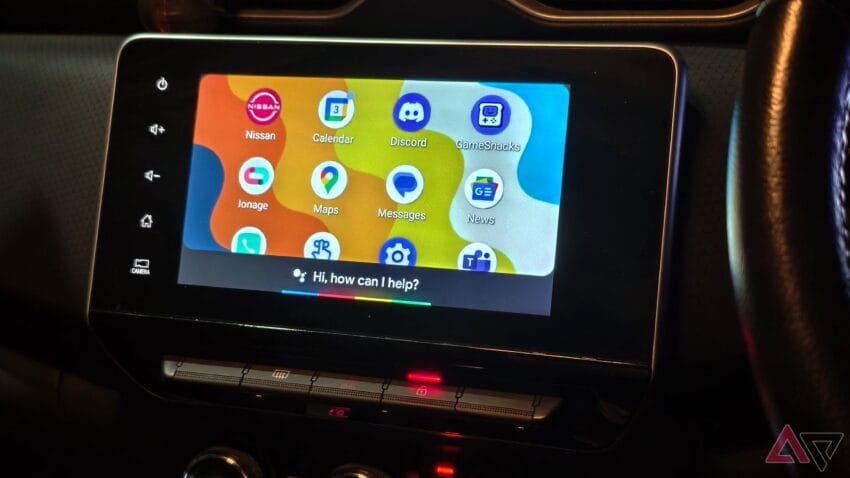
i love this little-known android auto trick Android Auto users can enhance their driving experience significantly with a lesser-known feature that allows for a virtual car upgrade through Google Assistant routines.
i love this little-known android auto trick
The Daily Commute Challenge
For many, the daily commute can feel like a chore, often filled with distractions and frustrations. My own experience begins with what can best be described as a tech wrestling match. As I settle into my vehicle, I find myself grappling with various devices, trying to connect my smartphone to the car’s infotainment system. This process often involves fiddling with cables, navigating through settings, and sometimes even dealing with unexpected software glitches. However, this routine has evolved significantly with the introduction of Android Auto and its integration with Google Assistant.
Understanding Android Auto
Android Auto is a mobile app developed by Google that allows users to connect their Android devices to their car’s infotainment system. This technology aims to provide a safer and more efficient way to access apps and features while driving. With Android Auto, users can easily navigate, make calls, send messages, and listen to music without taking their eyes off the road.
One of the standout features of Android Auto is its compatibility with Google Assistant, which can perform a variety of tasks through voice commands. This integration not only enhances convenience but also promotes safer driving practices by minimizing distractions.
The Role of Google Assistant
Google Assistant serves as the backbone of the Android Auto experience. It allows users to control various functions of their vehicle and smartphone using voice commands. For instance, you can ask Google Assistant to play your favorite playlist, provide directions to your next destination, or even read your messages aloud. This hands-free operation is particularly beneficial for maintaining focus on the road.
Unlocking the Virtual Upgrade: Google Assistant Routines
One of the lesser-known features of Google Assistant within Android Auto is the ability to set up routines. Routines allow users to automate a series of actions with a single command, effectively streamlining the driving experience. By creating a custom routine, you can trigger multiple actions simultaneously, making your commute more efficient and enjoyable.
What Are Google Assistant Routines?
Google Assistant routines are customizable sequences of actions that can be initiated with a single voice command. For example, you can create a routine that turns on your favorite music, provides traffic updates, and sets the temperature in your car—all with one phrase. This feature can significantly reduce the time spent on manual adjustments, allowing you to focus more on driving.
How to Set Up a Routine
Setting up a Google Assistant routine is a straightforward process. Here’s how you can do it:
- Open the Google Assistant app on your smartphone.
- Tap on your profile picture in the top right corner to access settings.
- Select “Routines” from the menu.
- Tap on the “+” icon to create a new routine.
- Choose a trigger phrase that you will use to activate the routine.
- Add the actions you want the routine to perform, such as playing music, providing weather updates, or sending a text message.
- Save the routine and test it out during your next drive.
Practical Applications of Routines
The practical applications of Google Assistant routines are vast and can be tailored to fit individual needs. Here are some examples of how you can utilize this feature to enhance your driving experience:
Morning Commute Routine
For those who commute to work in the morning, a customized routine can set the tone for the day. You might create a routine that includes:
- Turning on your favorite podcast or playlist.
- Providing a summary of your calendar events for the day.
- Offering real-time traffic updates for your route.
Evening Wind Down Routine
As you head home after a long day, a different routine can help you unwind. This could include:
- Playing calming music or an audiobook.
- Adjusting the car’s climate control to your preferred temperature.
- Sending a message to a family member to let them know you’re on your way.
Family Road Trip Routine
For longer journeys, especially with family, routines can keep everyone entertained and informed. Consider a routine that:
- Plays a family-friendly playlist.
- Provides updates on rest stops and attractions along the route.
- Engages the kids with trivia or games.
Benefits of Using Routines
The benefits of utilizing Google Assistant routines in Android Auto extend beyond mere convenience. Here are some key advantages:
Enhanced Safety
By automating tasks that would otherwise require manual input, routines help minimize distractions. This focus on safety is crucial, as distracted driving is a leading cause of accidents.
Increased Efficiency
Routines streamline the driving experience, allowing you to accomplish multiple tasks with a single command. This efficiency can lead to a more enjoyable commute, as you spend less time fiddling with controls and more time on the road.
Personalization
Every driver has unique preferences and needs. Google Assistant routines allow for a high level of customization, enabling users to tailor their driving experience to suit their lifestyle.
Challenges and Limitations
While Google Assistant routines offer numerous benefits, there are also challenges and limitations to consider. Some users may encounter issues with connectivity, particularly if their vehicle’s infotainment system is not fully compatible with Android Auto. Additionally, the effectiveness of voice commands can vary based on environmental factors, such as background noise.
Connectivity Issues
Not all vehicles support Android Auto, and even those that do may have varying degrees of compatibility. Users should ensure that their vehicle’s software is up to date and that their smartphone is properly connected to avoid interruptions during their routine.
Voice Recognition Limitations
Voice recognition technology has come a long way, but it is not infallible. Factors such as road noise, accents, and speech clarity can impact the Assistant’s ability to understand commands. Users may need to repeat commands or adjust their phrasing for optimal results.
Conclusion
Incorporating Google Assistant routines into your Android Auto experience can feel like a virtual upgrade to your vehicle. By automating tasks and streamlining your commute, you can enhance both safety and enjoyment while driving. As technology continues to evolve, features like these will likely become more integral to our daily lives, making our commutes not just bearable but enjoyable.
Source: Original report
Was this helpful?
Explore more: Mobile App Development More Mobile Technology Tech News
Last Modified: September 26, 2025 at 5:43 pm
9 views