
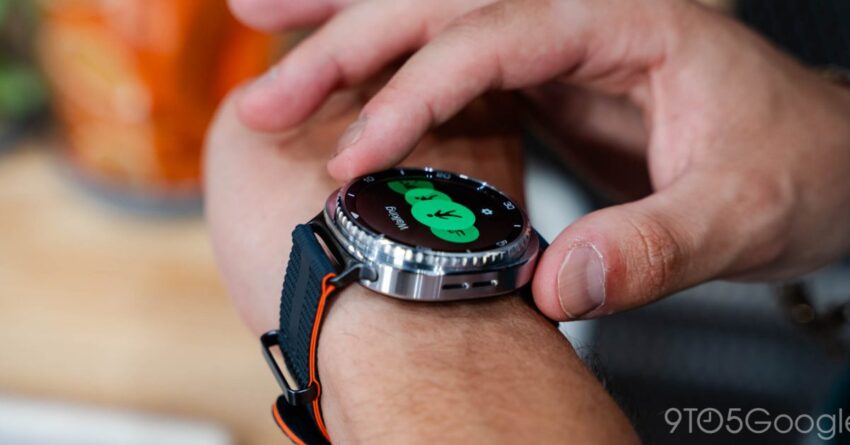
galaxy watch do not disturb shortcut is Samsung has acknowledged a significant issue affecting the Do Not Disturb (DND) shortcut on its Galaxy Watch devices, confirming that a fix is on the way.
galaxy watch do not disturb shortcut is
Understanding the Do Not Disturb Feature
The Do Not Disturb feature is a critical component of modern wearable technology, particularly for devices like the Galaxy Watch. As users increasingly rely on these devices for health monitoring and notifications, the ability to silence alerts during specific times becomes essential. This feature allows users to maintain a balance between staying connected and enjoying uninterrupted moments, especially during sleep or important meetings.
The Importance of Continuous Wear
Modern wearables, including the Galaxy Watch, are designed to be worn continuously. This constant wear enables the collection of vital health data, such as heart rate, sleep patterns, and activity levels. However, the need for uninterrupted data collection also necessitates effective management of notifications. Users often depend on the DND mode to silence alerts that could disrupt their rest or focus.
Current Issues with One UI 8
Recently, Galaxy Watch users have reported a malfunction in the DND shortcut following the update to One UI 8. This bug has rendered the shortcut ineffective, leading to unwanted notifications during times when users have explicitly chosen to silence them. The issue has sparked frustration among users who rely on this feature for a seamless experience.
Impact on Users
The malfunction of the DND shortcut has broader implications for Galaxy Watch users. Many individuals utilize their devices not only for fitness tracking but also for managing their daily lives. The inability to effectively silence notifications can lead to several challenges:
- Disruption of Sleep: For many users, the primary purpose of the DND feature is to ensure a peaceful night’s sleep. Notifications can disturb sleep cycles, leading to fatigue and decreased productivity during the day.
- Increased Stress Levels: Constant notifications can contribute to heightened stress levels, particularly for users who are already managing busy schedules.
- Reduced Device Usability: Users may find the Galaxy Watch less reliable for managing their time and health if they cannot control notifications effectively.
Samsung’s Response
In light of the complaints, Samsung has confirmed that they are aware of the issue and are actively working on a solution. The company has a history of addressing software bugs and user concerns promptly, which is crucial for maintaining customer trust and satisfaction.
Timeline for the Fix
While Samsung has not provided a specific timeline for when the fix will be rolled out, users can expect updates in the near future. The company typically releases software updates on a regular basis, which may include patches for known issues. Users are encouraged to keep their devices updated to ensure they receive the latest improvements and fixes.
Context of Software Updates in Wearable Technology
Software updates play a vital role in the functionality of wearable devices. They not only introduce new features but also address bugs and security vulnerabilities. For Galaxy Watch users, staying updated is essential for optimal performance. However, updates can sometimes introduce new issues, as seen with the current DND shortcut malfunction.
Previous Issues and Resolutions
This is not the first time Galaxy Watch users have encountered software-related issues. Previous updates have occasionally led to bugs affecting various functionalities, from battery life to health tracking features. Samsung has generally responded to these issues with timely updates, demonstrating their commitment to user satisfaction.
Stakeholder Reactions
The reaction from the user community has been mixed. Many users have expressed their frustration on social media and forums, highlighting the inconvenience caused by the DND shortcut malfunction. Others have taken a more patient approach, acknowledging that software bugs are common in technology and that fixes are often forthcoming.
User Feedback and Community Support
Online forums and social media platforms have become vital spaces for users to share their experiences and seek support. Many users have reported workarounds, such as manually adjusting notification settings or temporarily disabling certain apps. Community support can be invaluable during times of technical difficulties, as users often share tips and solutions that may not be immediately apparent.
Implications for Future Updates
The current situation raises questions about the robustness of Samsung’s software testing processes. As wearable technology continues to evolve, ensuring that updates do not introduce new issues will be crucial for maintaining user trust. The Galaxy Watch is positioned as a premium device in the market, and users expect a high level of reliability and performance.
The Role of User Experience in Wearable Technology
User experience is paramount in the wearable technology sector. Devices like the Galaxy Watch are often used in sensitive contexts, such as health monitoring and personal time management. Therefore, any disruption to core functionalities can significantly impact user satisfaction. Samsung’s ability to address these issues swiftly will be a key factor in retaining customer loyalty.
Looking Ahead
As Samsung works on a fix for the DND shortcut issue, users are encouraged to remain engaged with the company’s updates and announcements. The resolution of this bug will not only restore functionality but also reinforce Samsung’s commitment to its user base. Additionally, it serves as a reminder of the importance of effective communication between technology companies and their customers.
Best Practices for Galaxy Watch Users
In the interim, Galaxy Watch users can take several steps to mitigate the impact of the DND shortcut malfunction:
- Adjust Notification Settings: Users can manually customize notification settings for individual apps to reduce interruptions.
- Utilize Airplane Mode: Activating airplane mode during sleep can prevent notifications from coming through entirely.
- Participate in Community Discussions: Engaging with other users can provide insights into potential workarounds and solutions.
Conclusion
The malfunction of the Do Not Disturb shortcut on the Galaxy Watch is a significant concern for users who rely on this feature for managing their notifications effectively. Samsung’s acknowledgment of the issue and commitment to a fix is a positive step, but it also highlights the challenges that come with software updates in wearable technology. As users await a resolution, maintaining open communication and exploring alternative solutions will be essential for navigating this temporary setback.
Source: Original report
Was this helpful?
Explore more: More Consumer Technology Tech News Blog
Last Modified: January 23, 2026 at 7:57 am
15 views














