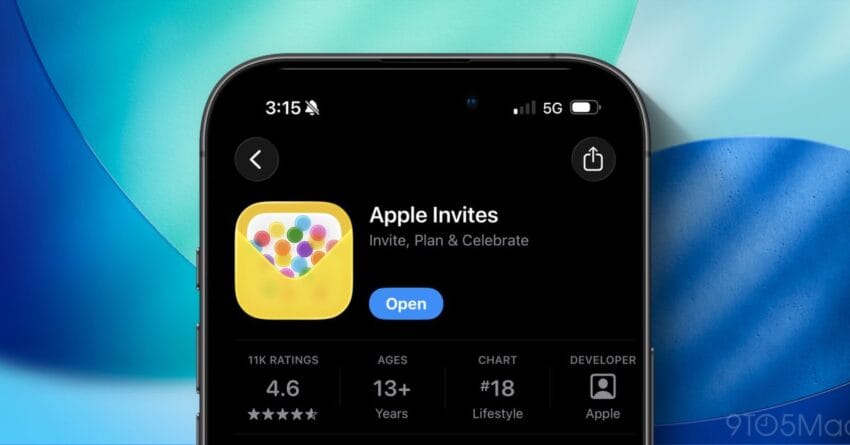
apple invites just got two new features Apple Invites has received a significant update, introducing new features and a striking design element that enhances user experience.
apple invites just got two new features
Overview of Apple Invites
Launched earlier this year, Apple Invites is a digital invitation platform designed to streamline the process of creating and sending invitations for various events. This app aligns with Apple’s broader strategy of integrating more services into its ecosystem, making it easier for users to manage their social engagements directly from their devices. With the latest update to version 1.5, Apple continues to refine the app, adding features that enhance its functionality and aesthetic appeal.
New Features in Version 1.5
The recent update to Apple Invites includes two notable features that aim to improve user interaction and customization options. These enhancements are expected to make the app more appealing to users who value personalization and ease of use in their digital invitations.
Enhanced Customization Options
One of the standout features in the 1.5 update is the enhanced customization options. Users can now personalize their invitations with a wider array of templates and design elements. This includes:
- New Template Designs: The update introduces a variety of new templates that cater to different types of events, from casual gatherings to formal occasions.
- Color Palette Selection: Users can now choose from an expanded color palette, allowing for greater personalization in line with the theme of their event.
- Font Variations: The addition of new fonts provides users with more choices to match the tone of their invitations.
These customization options are designed to empower users, enabling them to create invitations that reflect their personal style and the nature of their events. This aligns with the growing trend of personalization in digital communications, where users seek to express their individuality through the tools they use.
Improved RSVP Management
Another significant feature introduced in this update is improved RSVP management. The app now allows hosts to track responses more efficiently, providing real-time updates on who has accepted or declined invitations. Key aspects of this feature include:
- Automated Reminders: Hosts can set automated reminders for invitees who have not yet responded, ensuring that they receive timely notifications.
- Guest List Management: The app now includes tools for managing guest lists, allowing hosts to easily add or remove attendees as needed.
- Response Analytics: Users can access analytics that provide insights into response rates and trends, helping them gauge the popularity of their events.
This improved RSVP management system is particularly beneficial for hosts of larger events, such as weddings or corporate gatherings, where keeping track of attendees can become cumbersome. By streamlining this process, Apple Invites positions itself as a more efficient tool for event planning.
Introduction of Liquid Glass Design
In addition to the new features, the 1.5 update introduces a visually striking design element known as Liquid Glass. This design aesthetic is characterized by its sleek, modern appearance, which is intended to enhance the overall user experience. The Liquid Glass design is not just a cosmetic change; it reflects Apple’s commitment to creating intuitive and visually appealing interfaces.
What is Liquid Glass Design?
Liquid Glass is a design philosophy that emphasizes fluidity and elegance. It incorporates smooth gradients, transparent elements, and a sense of depth that creates a visually engaging experience. This design approach is consistent with Apple’s broader design language, which prioritizes simplicity and functionality. Key characteristics of Liquid Glass include:
- Translucent Elements: The use of translucent layers allows for a more dynamic interaction, where users can see elements behind the interface, creating a sense of continuity.
- Soft Shadows and Highlights: These elements add depth to the interface, making it feel more tactile and responsive.
- Fluid Animations: Transitions and animations are designed to be smooth and natural, enhancing the overall user experience.
The introduction of Liquid Glass design not only enhances the aesthetic appeal of Apple Invites but also aligns with the company’s ongoing efforts to innovate in user interface design. This approach reflects a growing trend in the tech industry, where companies are increasingly focusing on creating visually stunning and user-friendly applications.
Implications for Users and Stakeholders
The updates to Apple Invites, particularly the new features and Liquid Glass design, have several implications for users and stakeholders in the event planning space. By enhancing customization and RSVP management, Apple is positioning the app as a more competitive player in the digital invitation market.
Impact on User Experience
For users, the enhanced features mean a more tailored and efficient experience when planning events. The ability to customize invitations extensively allows users to create invitations that resonate with their personal style and the theme of their events. Improved RSVP management tools further streamline the planning process, reducing the stress often associated with event organization.
Moreover, the introduction of Liquid Glass design enhances the visual appeal of the app, making it more engaging for users. A well-designed interface can significantly impact user satisfaction, encouraging more frequent use of the app for various events.
Market Positioning and Competitive Landscape
From a market perspective, Apple Invites is entering a competitive landscape filled with established players like Evite and Paperless Post. By introducing unique features and a distinctive design, Apple aims to differentiate itself from these competitors. The focus on customization and user-friendly features aligns with current consumer preferences, where personalization is key.
Additionally, the integration of Liquid Glass design may attract users who appreciate aesthetics as much as functionality. This dual focus could enhance Apple Invites’ market share, particularly among younger demographics who are more likely to value both design and usability in digital applications.
Stakeholder Reactions
Initial reactions from stakeholders, including users and industry experts, have been largely positive. Users have expressed enthusiasm for the new customization options, noting that they allow for a more personal touch in invitations. The improved RSVP management features have also been praised for their practicality, particularly among those planning larger events.
Industry experts have highlighted the significance of the Liquid Glass design, noting that it reflects Apple’s commitment to innovation in user experience. This design approach could set a new standard for digital applications, prompting competitors to enhance their own offerings to keep pace with Apple’s advancements.
Conclusion
The update to Apple Invites, featuring enhanced customization options, improved RSVP management, and the introduction of Liquid Glass design, marks a significant step forward for the app. These changes not only improve user experience but also position Apple Invites as a competitive player in the digital invitation market. As users increasingly seek personalized and visually appealing tools for event planning, Apple’s latest update is timely and relevant.
As the app continues to evolve, it will be interesting to see how Apple further integrates feedback from users and adapts to the changing landscape of digital communication. The focus on user experience and design will likely remain central to Apple’s strategy, ensuring that Apple Invites remains a valuable tool for event planning in the future.
Source: Original report
Was this helpful?
Explore more: Mobile App Development More Mobile Technology Tech News
Last Modified: September 24, 2025 at 12:46 am
15 views