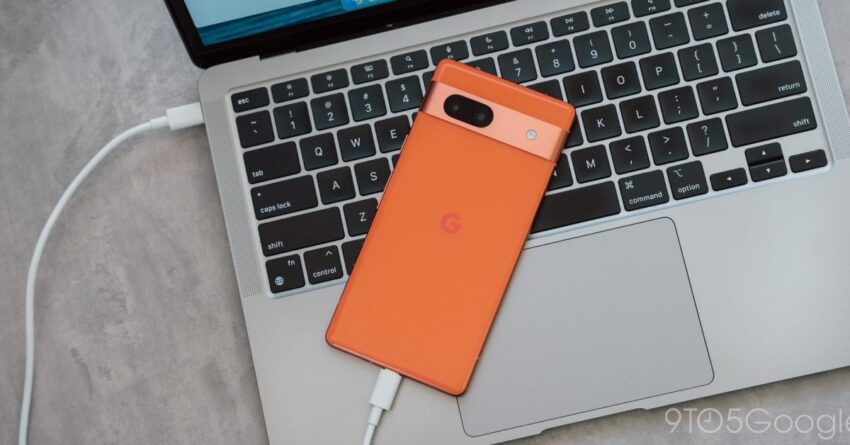
android getting new local file backup feature Android users can soon benefit from a new local file backup feature that will be integrated with Google Drive, enhancing data management and security.
android getting new local file backup feature
Overview of the New Feature
As indicated in the latest release notes for Google Play services, Android devices will soon introduce a “local file backup feature.” This functionality aims to streamline the backup process for users, allowing them to securely store their files on Google Drive. The feature is designed to provide a more efficient way for users to manage their data, ensuring that important files are not lost and can be easily accessed across devices.
Functionality and Benefits
The local file backup feature will allow users to back up various types of files, including documents, photos, and videos, directly to their Google Drive accounts. This capability is particularly beneficial for users who may not regularly back up their devices or who prefer to have a more manual approach to data management. By leveraging Google Drive, users can take advantage of cloud storage, which offers several advantages:
- Accessibility: Files backed up to Google Drive can be accessed from any device with internet connectivity, making it easier for users to retrieve their data when needed.
- Security: Google Drive employs robust encryption and security measures, ensuring that users’ files are protected from unauthorized access.
- Space Management: Users can manage their storage space effectively, as files can be selectively backed up and restored, reducing the clutter on their devices.
Contextual Background
The introduction of the local file backup feature comes at a time when data security and management have become increasingly important for mobile users. With the growing reliance on smartphones for both personal and professional tasks, the risk of data loss has also escalated. Various factors, such as device malfunctions, accidental deletions, or even theft, can lead to the loss of critical information.
Google has been proactive in addressing these concerns by enhancing its backup and recovery options. The new feature aligns with the company’s ongoing efforts to provide users with more control over their data while ensuring that it remains secure. This move is particularly relevant as more users transition to cloud-based solutions for their data storage needs.
Comparative Analysis with Existing Backup Solutions
Currently, Android users have access to several backup options, including automatic backups through Google One and device-specific backup solutions. However, these options often require users to navigate through multiple settings and interfaces, which can be cumbersome. The local file backup feature aims to simplify this process by offering a more intuitive and user-friendly approach.
In comparison to existing solutions, the new feature is expected to provide:
- Simplicity: Users will likely find it easier to back up files directly from their device without needing to delve into complex settings.
- Flexibility: The ability to choose specific files for backup rather than relying on a blanket backup of the entire device.
- Integration: Seamless integration with Google Drive, allowing for a more cohesive user experience across Google services.
Stakeholder Reactions
The announcement of the local file backup feature has garnered mixed reactions from stakeholders, including users, tech analysts, and industry experts. Many users have expressed excitement about the potential for a more streamlined backup process, particularly those who have experienced data loss in the past.
Tech analysts have noted that this feature could significantly enhance user engagement with Google Drive, as it encourages users to utilize the cloud storage service more actively. By making file backups easier, Google may see an increase in the number of users opting for premium storage plans, which could ultimately benefit the company’s bottom line.
Concerns and Considerations
Despite the positive feedback, some concerns have been raised regarding the new feature. Privacy advocates have pointed out that while Google Drive offers robust security measures, users must remain vigilant about their data privacy. The potential for unauthorized access or data breaches, although minimal, is a concern that cannot be overlooked.
Additionally, some users have expressed apprehension about the reliance on cloud storage for sensitive information. While Google has implemented various security protocols, the idea of storing personal files in the cloud can be daunting for some individuals. It is crucial for Google to address these concerns transparently to build trust among its user base.
Implementation Timeline
While the exact rollout date for the local file backup feature has not been officially announced, it is expected to be available in the coming months. Google typically implements new features gradually, often starting with a limited user base before expanding to a broader audience. This phased approach allows the company to gather feedback and make necessary adjustments before a full-scale launch.
Users can anticipate receiving notifications about the feature through their Google Play services updates. It is advisable for users to keep their devices updated to ensure they can take advantage of the latest functionalities as they become available.
How to Prepare for the New Feature
As the local file backup feature approaches its launch, users can take several steps to prepare:
- Update Google Play Services: Ensure that your Google Play services are up to date to receive the new feature as soon as it becomes available.
- Organize Files: Begin organizing files that you would like to back up. This will make the process smoother once the feature is live.
- Review Google Drive Settings: Familiarize yourself with Google Drive settings, including storage limits and sharing options, to optimize your experience.
Implications for the Future of Android
The introduction of the local file backup feature is a significant step in the evolution of Android’s data management capabilities. As cloud storage becomes increasingly integral to users’ daily lives, features like this one will likely play a crucial role in shaping the future of mobile technology.
Moreover, this development may prompt other tech companies to enhance their backup solutions, leading to increased competition in the market. As users become more aware of the importance of data security and management, companies will need to innovate continually to meet these demands.
Conclusion
The upcoming local file backup feature for Android devices represents a meaningful advancement in how users can manage and secure their data. By leveraging Google Drive, this feature aims to simplify the backup process, making it more accessible and user-friendly. As the rollout approaches, users are encouraged to prepare and stay informed about the changes to maximize the benefits of this new functionality.
Source: Original report
Was this helpful?
Explore more: Mobile App Development More Mobile Technology Tech News
Last Modified: February 17, 2026 at 4:40 am
18 views