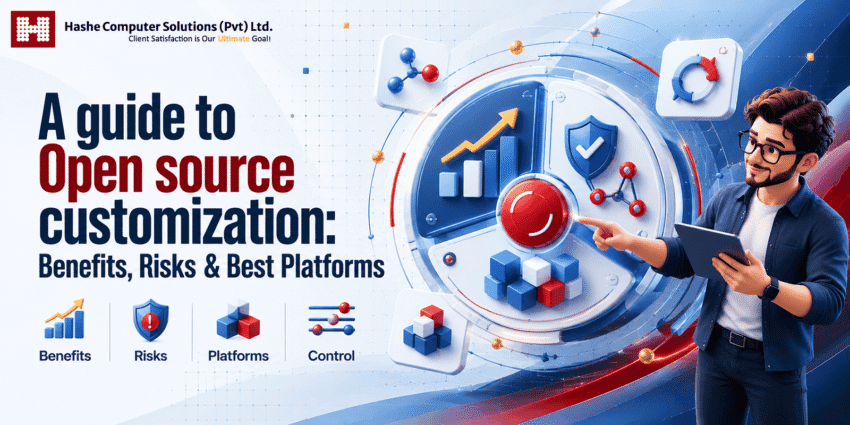
What if the software your business relies on could adapt to how you actually work, rather than forcing you to adapt to it?
That is the true value of open-source customization. Instead of settling for rigid off-the-shelf SaaS platforms or spending months building custom software from scratch, businesses can take a proven open-source foundation and tailor it to their exact specifications.
Whether you are optimizing a high-converting e-commerce checkout or building complex internal enterprise workflows, open source gives you full control over your tech stack.
However, that flexibility comes with a trade-off. The deeper you customize, the more operational responsibility you assume. Without a clear strategy, custom modifications can easily trigger security vulnerabilities, update conflicts, and mounting technical debt.
When does open source customization make strategic sense? Which platforms offer the best foundation for growth? And how do you maintain system performance as you scale? Here is everything you need to know about the benefits, risks, top platforms, and development best practices before kicking off your next project.
What is Open-Source Customization?
Open source customization is the process of modifying an open-source software platform, application, or framework to meet specific business, technical, or user requirements.
Unlike proprietary software, where a vendor locks down the underlying codebase, open source gives developers direct access to modify, extend, and adapt the code under the project’s licensing model.
Rather than simply tweaking colors or changing front-end templates, meaningful customization can fundamentally change how a system operates. For example, an e-commerce brand building on open source might customize:
- Core Operations: Inventory logic, custom shipping rules, and granular user permission roles.
- User Experience: Personalized checkout workflows, customer account dashboards, and responsive front-end design.
- Ecosystem Integrations: Direct API bridges to custom CRMs, third-party ERPs, and specialized payment gateways.
Ultimately, the goal is to bridge the gap between off-the-shelf convenience and bespoke software functionality, giving you a tailor-made platform built around your actual business processes.
Why Are Businesses Turning to Open Source Customization?
Today’s market demands agility, but standard SaaS products can sometimes force businesses into rigid workflows. When a platform cannot support a specialized process, complex integration, or unique business model, adapting the software can become just as difficult as adapting the business.
Open source customization offers a practical middle ground: the convenience of an existing technology foundation with the flexibility to build around your specific needs.
Instead of spending months developing foundational features such as user authentication, database structures, and basic application functionality, development teams can start with an established platform or framework. They can then focus their resources on the custom capabilities that deliver real business value.
This approach can benefit organizations at different stages:
- Startups: Launch faster with an established foundation while retaining the flexibility to adapt features as the business evolves.
- Growing Mid-Market Brands: Connect third-party tools through custom APIs and workflows while reducing reliance on rigid, per-user SaaS plans.
- Enterprises: Gain greater control over data, security, integrations, and complex workflows that standard software may not support out of the box.
Key Benefits of Open Source Customization
Open source customization offers more than access to source code. It gives businesses the flexibility to shape existing software around their workflows, integrate the tools they already use, and build functionality that standard platforms may not provide.
Here are some of the key benefits.
1. Unmatched Flexibility and Tailored Workflow
The biggest advantage of open-source customization is flexibility. Businesses can add unique features, modify existing functionality, and configure complex workflows to match their operational needs.
For companies with non-standard processes, this ability to adapt software can become a meaningful competitive advantage.
2. Cost-Efficient Development
Building a complex digital platform from scratch can require significant time, development resources, and investment. Open source platforms provide an existing foundation, allowing developers to reuse established functionality such as authentication, database management, and content management.
This lets businesses focus their development budget on the features that directly support their goals.
3. Faster Time to Market
With core functionality already available, development teams can spend less time building foundational components and more time on customization.
This can shorten development cycles, allowing businesses to prototype, test, and launch new products or features faster than they might with completely ground-up development.
4. Greater Technology Control
Proprietary software can leave businesses dependent on a vendor’s roadmap, pricing changes, or product decisions. Open source provides greater control over how the software is hosted, customized, and maintained.
Businesses can typically control:
- Infrastructure: Choose where and how the application is hosted.
- Lifecycle Management: Decide when to apply updates and introduce new features.
- Architecture: Select integrations, databases, APIs, and other technologies based on specific requirements.
5. Strong Developer Communities
Popular open-source projects often have active global communities contributing code, documentation, extensions, and security updates.
A healthy ecosystem can make it easier to find development resources, troubleshoot technical issues, access third-party extensions, and follow established development practices.
6. Flexible API and System Integrations
Modern businesses rely on interconnected systems, from CRMs and ERPs to payment gateways, analytics platforms, and internal applications.
Open source platforms can often be customized to connect these systems through APIs, plugins, middleware, or custom integrations. This makes it easier to create workflows that span multiple tools and applications.
7. Reduced Vendor Lock-In
Moving away from proprietary SaaS software can be difficult when data, workflows, and integrations are closely tied to a specific provider.
Open source can reduce this dependency by giving businesses greater control over their code, data, hosting environment, and technology choices. This flexibility can make it easier to adapt the technology stack as business requirements change.
Risks and Challenges of Open Source Customization
While open source customization provides significant freedom, it is not a shortcut to effortless software development. Greater control also means greater responsibility for security, maintenance, compatibility, and long-term performance.
Before diving in, businesses should consider these critical risks.
Security Vulnerabilities
Because open-source code is publicly accessible, both security researchers and malicious actors can identify vulnerabilities. Keeping the software secure therefore requires continuous monitoring and proactive maintenance.
- Patch Management: Apply security updates to the core platform and third-party modules regularly.
- Dependency Audits: Monitor external libraries, plugins, and packages for known and supply-chain vulnerabilities.
- Access Control & Testing: Enforce appropriate permissions, conduct security testing, and follow secure coding practices.
Complex Maintenance and Upgrade Bottlenecks
Every customization can introduce additional maintenance requirements. If developers modify core files directly, future platform updates may overwrite custom code or cause compatibility issues.
Using clean development practices, such as hooks, child themes, modules, extensions, and API layers, can keep customizations separate from the core system and make future upgrades easier.
Plugin and API Compatibility Conflicts
A customized open-source stack may combine core software, custom code, third-party extensions, and external APIs. Changes to one component can sometimes create unexpected issues elsewhere.
To minimize compatibility issues, test major updates and customizations in a separate staging environment before deploying them to the live system.
Need for Specialized Technical Expertise
Open-source software may be available at no licensing cost, but building and maintaining a production-ready system still requires skilled professionals. Depending on the project, businesses may need expertise in:
- Software Engineering & Database Architecture
- API Development & System Integration
- Cloud Infrastructure, DevOps & CI/CD
- Cybersecurity & Performance Optimization
Without the right technical resources, an open-source project can become difficult to maintain, unreliable, or more expensive than originally planned.
Scope Creep and Rising Technical Debt
Over-customization is another common challenge. Adding features without a clear roadmap can gradually turn a flexible platform into a complicated system that is difficult to maintain.
A better approach is to customize strategically: use native platform capabilities wherever they meet your requirements and invest in custom development where it delivers clear business value.
Legal and Licensing Compliance
“Open source” does not mean “free from legal obligations.” Licenses such as GPL, MIT, Apache 2.0, and AGPL come with different requirements around distribution, attribution, modification, and commercial use.
Understanding the applicable license before customizing or distributing an open-source solution is essential, particularly for commercial products. When licensing requirements are complex, businesses should seek appropriate legal advice.
How Does Open Source Customization Work?
A successful open source customization project follows a structured development process. The goal is to solve real business needs without creating unnecessary complexity or technical debt. The process typically involves the following key steps.
Step 1: Define Clear Business Requirements
Start with the business problem, not the technology. Identify:
- Feature Gaps: Which existing features fall short of your operational needs?
- Integrations: Which third-party services, such as CRMs, payment gateways, or ERPs, need to connect with the platform?
- User Needs: Who will use the system, and what access levels or interface requirements do they have?
Clear, documented requirements keep development focused on high-value customizations and help prevent scope creep.
Step 2: Select the Right Open Source Platform
Not every open-source platform suits every project. Evaluate potential options based on the following.
- Technology & Scalability: Does the platform’s architecture align with your technical requirements and future growth?
- Ecosystem Health: Is the project actively maintained? Consider release frequency, community activity, available extensions, and documentation.
- Licensing & Security: Does the license fit your business model, and does the project have a reliable approach to security updates?
Step 3: Plan for Long-Term Maintainability
Before development begins, establish a clear customization strategy. Whenever possible, avoid modifying core system files directly. Instead, use supported extension mechanisms such as:
- Native Extension Points: Hooks, actions, event listeners, modules, plugins, and child themes.
- Decoupled Architecture: Custom services, middleware, and external REST or GraphQL APIs.
Keeping custom functionality separate from the core software makes future updates easier and reduces long-term maintenance challenges.
Step 4: Develop, Iterate, and Test
Build custom features in a controlled development environment before moving them through the deployment pipeline. Test across several areas:
- Functionality and UX: Validate workflows across different devices, browsers, and user roles.
- Security and Performance: Review custom code for common vulnerabilities and optimize database queries and application performance.
- Automated Testing: Use automated and regression testing to ensure new changes don’t break existing functionality.
Step 5: Deploy to Staging and Production
Before going live, deploy the customized platform to a staging environment that closely mirrors production. Run final functionality, security, and performance checks before releasing the changes.
Once deployed, use monitoring tools such as error logging and application performance monitoring (APM) to identify issues that may only appear under real-world traffic.
Step 6: Maintain and Update Continuously
Open source customization is not a one-time project. Ongoing maintenance is essential to keep the platform secure, stable, and compatible.
Regular maintenance should include:
- Core and Dependency Updates: Apply security patches and update third-party libraries and extensions.
- Database and Infrastructure Audits: Review database performance, server resources, backups, and infrastructure configuration.
- Custom Code Reviews: Periodically evaluate custom features to identify outdated code, security concerns, or opportunities for optimization.
Best Open Source Platforms to Build Your Next Project On
There is no single “best” open-source platform. The right choice depends entirely on your project requirements, scalability goals, budget, and technical capabilities.
| Platform | Best For | Core Strengths |
|---|---|---|
| WordPress | Content-heavy websites & SMBs | Extensive plugin ecosystem, rapid development, and flexible customization through hooks and REST APIs. |
| Drupal | Enterprise & complex content architectures | Granular permissions, advanced content modeling, multilingual capabilities, and strong governance features. |
| WooCommerce | Flexible e-commerce | Seamless WordPress integration, extensive payment and shipping extensions, and a relatively low entry barrier. |
| Magento Open Source | Enterprise e-commerce & B2B | Multi-storefront capabilities, complex catalog and pricing logic, and support for large product catalogs. |
| Odoo Community | ERP & business management | Integrated modules for CRM, inventory, sales, accounting, and other business operations. |
| Web Frameworks (Laravel, Django, Rails) | Fully custom applications | Greater architectural freedom for businesses whose requirements go beyond traditional CMS or e-commerce platforms. |
Selecting the Right Foundation
- Content & Digital Publishing — WordPress or Drupal: Choose WordPress when you need fast deployment, straightforward content management, and a large ecosystem of plugins and developers. Drupal is a stronger fit for complex content structures, multilingual sites, advanced permissions, and enterprise-level governance.
- E-commerce — WooCommerce or Magento Open Source: WooCommerce is a strong choice for small and mid-sized brands, particularly those already using WordPress. Magento Open Source suits larger commerce operations with complex catalogs, multiple storefronts, sophisticated pricing, or extensive ERP integrations.
- Integrated Business Operations — Odoo Community: Consider Odoo when you want to bring functions such as CRM, inventory, sales, and accounting into a connected business management system, rather than managing them across multiple disconnected tools.
- Bespoke Applications — Laravel, Django, or Ruby on Rails: When your business logic is highly specialized, a web framework can provide a flexible foundation without forcing your application into a predefined CMS or e-commerce structure. These frameworks offer established tools for areas including routing, database management, authentication, and API development while leaving the overall architecture largely in your hands.
Open Source Customization vs Custom Software Development
One of the most important decisions is whether to customize an existing open-source platform or build a completely custom application.
The table below highlights the key differences between the two approaches to help you determine which option best fits your project.
| Decision Factor | Open Source Customization | Custom Software Development |
|---|---|---|
| Time to Market | Faster: Starts with an existing foundation, including core functionality, libraries, and infrastructure. | Slower: Architecture, core functionality, infrastructure, and deployment processes are built from the ground up. |
| Initial Investment | Lower to Moderate: Development costs focus primarily on customization, integrations, and feature extensions. | Higher: Requires greater upfront investment in architecture, development, infrastructure, and testing. |
| Baseline Features | Pre-built: Core features are available to configure and extend based on project requirements. | Built to Order: Features are designed, developed, and tested specifically for the project. |
| Architectural Flexibility | High: Offers significant flexibility while working within the platform’s underlying architecture. | Very High: Provides greater freedom to choose the technology stack, database, architecture, and development approach. |
| Long-Term Maintenance | Shared Foundation: The open-source community may contribute core updates and security fixes, while your team remains responsible for custom code and integrations. | Full Responsibility: Your team or development partner is responsible for maintaining the entire application and its infrastructure. |
| Support Ecosystem | Extensive: Access to community resources, documentation, developers, modules, plugins, and third-party solutions. | Project-Specific: Support typically depends on your internal team or the developers who built and maintain the software. |
How to Decide
- Choose Open Source Customization if: An established open-source platform already meets most of your core functional requirements. Customizing the remaining gaps can reduce development time, upfront costs, and engineering effort compared with building the entire system from scratch.
- Choose Ground-Up Custom Development if: Your business depends on highly specialized algorithms, proprietary data processing, or a unique architecture that existing platforms cannot support efficiently without extensive modification or unnecessary technical complexity.
How to Choose the Right Open Source Platform
Selecting an open-source platform should go far beyond popularity or the sheer number of available plugins. The ideal foundation must fulfill your immediate technical requirements while providing a scalable, maintainable architecture for future growth.
Before committing to a platform, evaluate these key factors:
1. Does It Meet Most of Your Core Requirements?
Start by identifying the features and workflows your business actually needs. The more functionality a platform provides out of the box, the less custom development you will need.
As a practical guideline, look for a foundation that addresses most of your baseline operational needs, while reserving custom engineering for the unique capabilities that create meaningful business value.
2. Is the Project Actively Maintained?
An actively maintained open-source project is generally easier to keep secure, compatible, and maintainable over time. Before adopting a platform, review these indicators of project health:
- Release Frequency & Security Updates: Look for regular releases and a transparent history of addressing security vulnerabilities.
- Contributor Activity & Documentation: Check for active maintainers, ongoing development, and comprehensive documentation covering installation, APIs, customization, and troubleshooting.
- Community Engagement: Review developer forums, issue trackers, and contributor activity to determine whether the project has an active and responsive community.
3. Can It Scale With Your Business?
A platform that works well for a small content site may not be suitable for a high-traffic application or high-volume e-commerce operation. Evaluate your expected concurrent users, transaction volume, database growth, traffic, and API activity.
Also consider whether the platform works effectively with scaling strategies such as caching, load balancing, containerization, content delivery networks, and decoupled architectures where appropriate.
4. How Strong Is the Ecosystem?
A strong ecosystem can reduce development time and make long-term maintenance easier. Check whether the platform offers reliable third-party plugins, extensions, integrations, APIs, documentation, and developer support.
A healthy ecosystem also provides access to a broader talent pool, making it easier to hire experienced developers or work with specialized agencies as your project grows.
5. How Easily Can It Be Customized?
Not every platform that claims to be customizable is equally easy to extend. Examine the platform’s developer architecture and look for supported extension mechanisms such as REST or GraphQL APIs, hooks, event listeners, middleware, modules, plugins, and child themes.
The more easily custom functionality can be separated from the core codebase, the easier it is to maintain custom features and apply future platform updates.
6. What Are the Licensing Requirements?
Open source software can be used in commercial projects, but different licenses come with different obligations. Understand how licenses such as MIT, Apache 2.0, GPL, and AGPL apply to your intended use, modifications, distribution, and integrations before starting the development.
For projects involving proprietary software, redistribution, or complex licensing arrangements, consider obtaining appropriate legal advice.
7. What Will the Total Cost of Ownership Be?
An open source platform may have no upfront licensing fees, but that does not mean the overall project is free. To estimate the Total Cost of Ownership (TCO), consider:
- Development & UI/UX Design: Custom engineering, integration setup, testing, and design work.
- Infrastructure & Security: Cloud hosting, CDN services, SSL management, backups, and security monitoring.
- Ongoing Maintenance: Updates, database optimization, performance monitoring, bug fixes, and developer support.
- Extensions & Integrations: Premium plugins, third-party services, APIs, and custom connectors.
- Future Upgrades: Compatibility work and development required when the core platform or major dependencies change.
Looking at the full cost over the expected lifespan of the project gives you a more realistic basis for comparing open source customization with proprietary SaaS or fully custom development.
Conclusion: Making Open Source Customization Work for You
Open source customization provides a practical middle ground between rigid off-the-shelf SaaS products and the cost and complexity of building software from scratch. By starting with an established open-source foundation, businesses can gain greater control, flexibility, and customization options without having to build standard capabilities such as authentication, routing, or database functionality from the ground up.
However, greater control also comes with greater responsibility. Managing the source code means taking ownership of security, maintenance, compatibility, and long-term performance. To turn open source customization into a sustainable business asset:
- Customize strategically: Address your core functional requirements while reserving custom development for capabilities that deliver clear business value.
- Protect the core: Use supported extension mechanisms such as APIs, hooks, middleware, modules, and child themes wherever possible to simplify future upgrades and maintenance.
- Plan for the Total Cost of Ownership (TCO): Budget for security updates, cloud infrastructure, monitoring, backups, performance optimization, and ongoing developer support.
When built on the right foundation and supported by clean architecture and clear business goals, open source customization can provide a flexible technology platform that adapts as your business evolves.
Frequently Asked Questions (FAQ).
Q1: What is the main difference between software configuration and open source customization?
Software configuration involves adjusting existing settings, options, and features through a platform’s standard interface without changing its underlying code. Open source customization goes further by modifying or extending the codebase, building custom modules, changing backend logic, or integrating third-party APIs to support requirements that the default platform cannot handle.
Q2: Is open source software completely free to use commercially?
Not necessarily. While many open source projects can be downloaded and used without traditional per-user licensing fees, running and customizing them still involves costs. Businesses should account for development, cloud hosting, security monitoring, third-party services, ongoing maintenance, and any obligations under the applicable open source license, such as MIT, GPL, or Apache 2.0.
Q3: Does customizing open source software create security risks?
Customization can introduce additional security risks, particularly when custom code, third-party dependencies, or integrations are poorly implemented or left unpatched. Because open source code is publicly accessible, both security researchers and malicious actors can also identify and analyze vulnerabilities. Regular security testing, dependency monitoring, timely patching, and secure development practices can help reduce these risks.
Q4: Will custom features break when the main open source platform is updated?
They can, particularly when customizations modify core system files or depend on internal functionality that changes between versions. Using supported extension mechanisms such as APIs, hooks, modules, plugins, and child themes can reduce upgrade-related conflicts. Still test major updates in a staging environment before deploying to production.
Q5: When should a business choose open source customization over building from scratch?
Open-source customization is often a practical choice when an existing platform meets most of your core business requirements and can be extended to close the remaining gaps. Ground-up development may be more appropriate when the application depends on highly specialized business logic, proprietary technology, or architectural requirements that existing platforms cannot support efficiently.
Make Open Source Work for Your Business With Hashe
Choosing the right open source platform is only the beginning. Hashe’s open source customization services help businesses adapt existing platforms to their workflows, connect essential systems, and add custom features without building everything from scratch.
We can customize platform features, develop custom modules and plugins, integrate CRMs, ERPs, payment gateways, and APIs, and improve performance and security. We also provide ongoing maintenance to keep your customized platform reliable and ready to grow with your business.
Build on Open Source. Customize With Confidence.
Ready to turn an open source platform into a solution built around your business? Talk to our team about your open source customization project today.
Searching for premier technology partners to elevate your next project? Hashe Computer Solutions is a distinguished digital services firm delivering elite software development, mobile app development, web development, strategic digital marketing, and AI automation services. Reach out today for high-performance creative web design and results-oriented digital marketing strategies.
Was this helpful?
Last Modified: November 5, 2026 at 12:57 pm
0 views