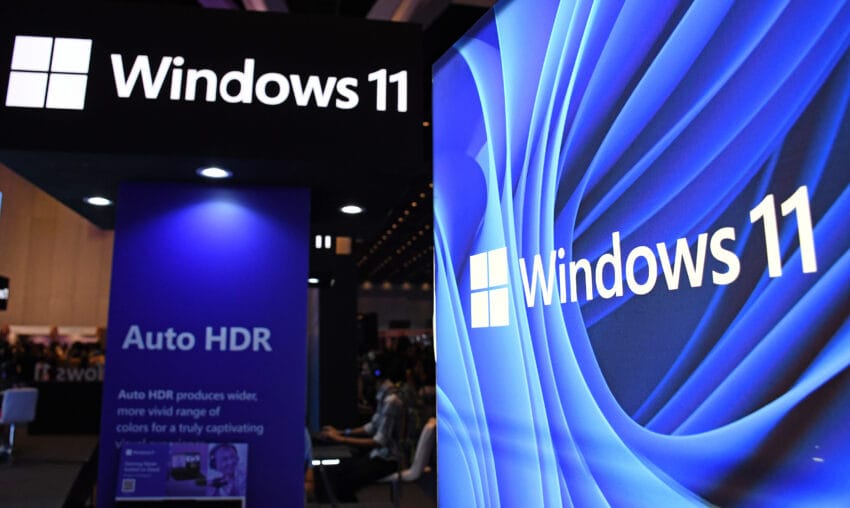
microsoft s windows 11 2025 update is Microsoft has officially begun the rollout of its Windows 11 2025 update, known as version 25H2, to all users worldwide.
microsoft s windows 11 2025 update is
Overview of Windows 11 Version 25H2
Today marks the launch of Microsoft’s annual update for Windows 11, which is designated as version 25H2. After undergoing testing in the Windows Insider Release Preview ring last month, this update is now being made available to all Windows 11 users via Windows Update. Unlike some previous updates that introduced a plethora of new features, version 25H2 is relatively modest in scale, characterized as a small “enablement package.” This approach allows for a quicker installation process, minimizing disruption for users.
What is an Enablement Package?
An enablement package is a streamlined update mechanism that activates features already included in the operating system but not yet available to users. This method is particularly advantageous for users who prefer a less intrusive update experience. John Cable, the vice president of program management for Windows servicing and delivery, elaborates on this by stating, “This means that it contains all the recently announced features in Windows 11, version 24H2.” The shared code base between the two versions simplifies the update process, allowing for more seamless integration of features.
Key Features and Improvements
While the 25H2 update may not introduce a significant number of new features, it does come with some noteworthy enhancements, particularly in the realm of security and system performance.
Security Enhancements
One of the primary focuses of the 25H2 update is to bolster security measures within the operating system. Cable notes that “version 25H2 includes significant advancements in build and runtime vulnerability detection, coupled with AI-assisted secure coding.” This is a crucial step in an era where cybersecurity threats are increasingly sophisticated and prevalent. The update adheres to a robust security development lifecycle (SDL) policy, which is designed to mitigate potential security threats effectively.
The integration of AI in secure coding practices represents a forward-thinking approach, as it allows for real-time analysis and identification of vulnerabilities during the development process. This proactive stance is essential for maintaining the integrity of the operating system and protecting user data.
Removal of Legacy Components
Another significant change in version 25H2 is the removal of certain legacy components, specifically PowerShell 2.0 and the Windows Management Instrumentation command-line (WMIC). The decision to eliminate these components is part of Microsoft’s ongoing effort to streamline the operating system and reduce its attack surface. By removing outdated tools, Microsoft aims to enhance overall system performance and security.
How to Access the Update
For users eager to experience the new features and improvements in version 25H2, accessing the update is straightforward. Users need to ensure that the “get the latest updates as soon as they’re available” option is enabled in Windows Update settings. This setting allows the system to automatically download and install updates as they become available.
Safeguard Holds
However, it is important to note that Microsoft may implement safeguard holds on certain devices. Cable explains, “If we detect that your device may have an issue, such as an application or driver incompatibility, we may put a safeguard hold in place and not offer the update until that issue is resolved.” This precautionary measure aims to prevent potential disruptions or complications that could arise from installing the update on incompatible hardware or software configurations.
Future Updates and Monthly Feature Releases
One of the key advantages of the shared code base between versions 24H2 and 25H2 is that Microsoft will continue to release new features on a monthly basis for both versions. This approach ensures that users of both versions will benefit from ongoing improvements and enhancements, keeping the operating system current and secure.
Implications for Users and Administrators
The decision to maintain a shared code base has several implications for users and system administrators. For users, it means that they can expect a steady stream of updates and features without having to upgrade to a new version of the operating system. This can be particularly beneficial for organizations that prioritize stability and consistency in their IT environments.
For system administrators, the shared code base simplifies the management of updates across different versions of Windows 11. It reduces the complexity associated with maintaining multiple versions of the operating system, allowing for more efficient resource allocation and management.
Stakeholder Reactions
The rollout of version 25H2 has elicited a range of reactions from various stakeholders, including users, IT professionals, and industry analysts. Many users have expressed appreciation for the focus on security enhancements, particularly in light of the increasing frequency of cyberattacks targeting personal and organizational data.
IT professionals have also welcomed the update, particularly the removal of legacy components, which can often introduce vulnerabilities and complicate system management. The emphasis on AI-assisted secure coding has been viewed as a positive step toward modernizing the development process and enhancing overall system security.
Industry Analysts’ Perspectives
Industry analysts have noted that Microsoft’s approach to the 25H2 update reflects a broader trend in the tech industry toward prioritizing security and performance. As organizations increasingly rely on digital infrastructure, the need for robust security measures has never been more critical. Analysts suggest that Microsoft’s ongoing commitment to improving security features will likely strengthen its position in the competitive operating system market.
Conclusion
In summary, Microsoft’s Windows 11 version 25H2 update represents a strategic move to enhance security and streamline the user experience. While the update may not introduce a plethora of new features, its focus on security improvements and the removal of legacy components underscores Microsoft’s commitment to providing a robust and secure operating system. As the rollout continues over the coming months, users can look forward to ongoing enhancements and the assurance that their systems are equipped to handle evolving cybersecurity threats.
Source: Original report
Was this helpful?
Last Modified: September 30, 2025 at 10:40 pm
7 views