ios 26 lets you change your default iOS 26 introduces a significant update allowing users to customize their default apps on iPhones, enhancing user experience and personalization.
ios 26 lets you change your default
Overview of Default Apps in iOS
Historically, iPhones have relied on preinstalled Apple applications for various system actions, such as opening web links, sending emails, and making phone calls. This default behavior has often frustrated users who prefer third-party applications for these tasks. With the introduction of iOS 26, Apple has made strides in addressing this concern by allowing users to set new default apps across multiple categories.
What’s New in iOS 26?
iOS 26 expands the options available for default applications, providing users with greater flexibility and control over their device’s functionality. This update is part of Apple’s ongoing effort to enhance user experience and cater to the diverse preferences of its customer base.
Categories of Default Apps
In iOS 26, users can change default apps in several key categories:
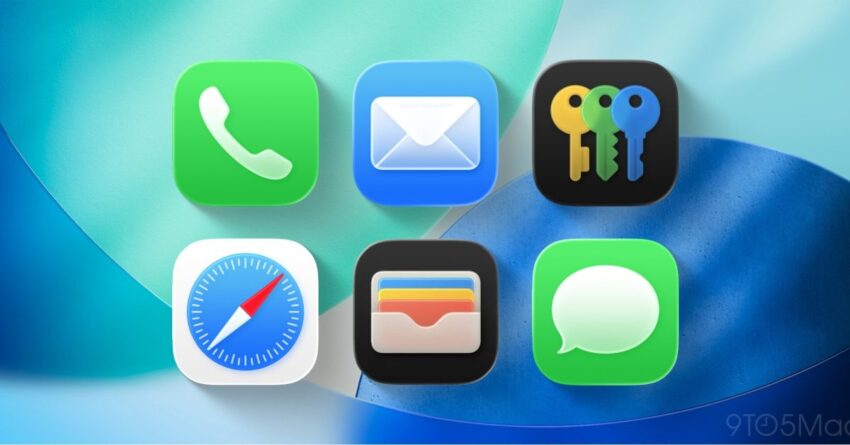
- Web Browser: Users can now select their preferred web browser, moving away from Safari as the only option.
- Email Client: Users can choose their favorite email application for sending and receiving emails.
- Maps: The default mapping application can now be customized, allowing users to select alternatives to Apple Maps.
- Music: Users can set their preferred music streaming service as the default for playing music.
- Messaging: Users can select their preferred messaging app for sending and receiving messages.
How to Change Default Apps
Changing default apps in iOS 26 is a straightforward process. Here’s a step-by-step guide:
- Open the Settings app on your iPhone.
- Scroll down to find the app you want to set as the default.
- Tap on the app, and you will see an option labeled Default App.
- Select the category you wish to change (e.g., Browser, Email, etc.).
- Choose your preferred app from the list of available options.
Once you have made your selection, the chosen app will now be set as the default for that category, allowing for a more personalized experience.
Implications of Customizable Default Apps
The ability to change default apps has several implications for both users and developers. For users, this feature enhances personalization and convenience, enabling them to tailor their devices to better fit their needs. For developers, it opens up new opportunities for engagement and competition, as users may be more inclined to explore third-party applications.
User Experience Enhancement
With the introduction of customizable default apps, Apple is acknowledging the diverse preferences of its user base. Many users have long expressed a desire for greater control over their devices, and this update is a step in that direction. By allowing users to select their preferred applications, Apple is enhancing the overall user experience, making it more intuitive and aligned with individual preferences.
Impact on Developers
For developers of third-party applications, the ability to set default apps can significantly impact their user acquisition strategies. With more users able to choose their preferred applications, developers may see an increase in downloads and user engagement. This shift could lead to a more competitive landscape, where developers are incentivized to innovate and improve their offerings to attract users.
Stakeholder Reactions
The introduction of customizable default apps has garnered mixed reactions from various stakeholders, including users, developers, and industry analysts.
User Reactions
Many users have welcomed the change, expressing excitement over the newfound flexibility. Social media platforms have seen a surge of discussions around the topic, with users sharing their preferred apps and the benefits of switching from Apple’s default offerings. However, some users remain skeptical, questioning whether this change will lead to a significant improvement in their daily interactions with their devices.
Developer Perspectives
Developers have generally responded positively to the update, viewing it as an opportunity to reach a broader audience. Many have begun to promote their applications more aggressively, highlighting features that differentiate them from Apple’s offerings. However, some developers have raised concerns about the potential challenges of competing with Apple’s well-established apps, which often come pre-installed on devices.
Industry Analysts’ Insights
Industry analysts have noted that this move aligns with broader trends in the tech industry, where personalization and user choice are becoming increasingly important. Analysts suggest that Apple’s decision to allow customizable default apps may be a strategic response to competitive pressures from other platforms, such as Android, which has long offered similar features. This shift could also be seen as part of Apple’s efforts to maintain its relevance in a rapidly evolving digital landscape.
Potential Challenges and Considerations
While the ability to change default apps is a welcome addition, there are potential challenges and considerations that users and developers should keep in mind.
Compatibility Issues
One potential challenge is compatibility between different applications. Users may encounter issues if their chosen default app does not support certain features or functionalities that are available in Apple’s default apps. For example, some third-party browsers may not fully support specific web standards, leading to a subpar browsing experience.
User Education
Another consideration is the need for user education. While the process for changing default apps is relatively simple, not all users may be aware of this feature or how to utilize it effectively. Apple may need to invest in educational resources to ensure that users understand the benefits and functionalities of customizable default apps.
Impact on System Performance
There are also concerns regarding the potential impact on system performance. Users may experience slower performance or increased battery drain if they choose less optimized third-party applications over Apple’s native apps. It will be essential for users to consider these factors when selecting their default applications.
Conclusion
The introduction of customizable default apps in iOS 26 marks a significant evolution in Apple’s approach to user experience and personalization. By allowing users to select their preferred applications for various tasks, Apple is empowering its users and fostering a more competitive environment for developers. While there are challenges and considerations to keep in mind, the overall implications of this update are positive, paving the way for a more tailored and user-centric iPhone experience.
Source: Original report
Was this helpful?
Last Modified: January 10, 2026 at 1:41 am
2 views