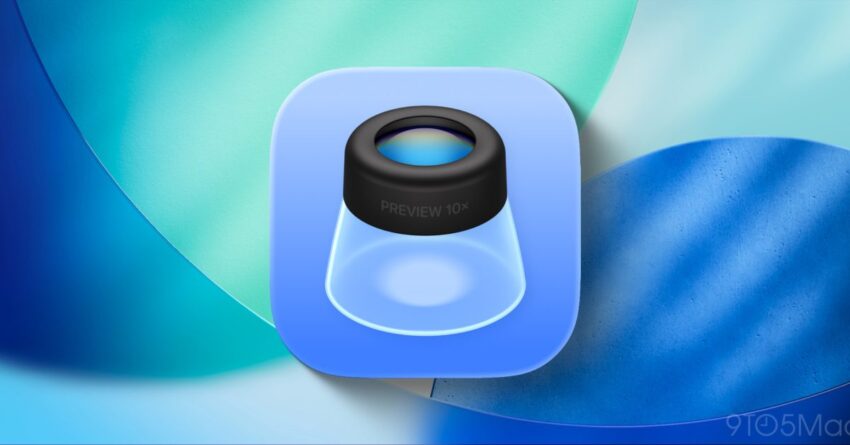
ios 26 adds new preview app on Apple has introduced a significant update with iOS 26, featuring the addition of a new ‘Preview’ app designed to enhance user experience on the iPhone.
ios 26 adds new preview app on
Overview of iOS 26
iOS 26 marks a notable evolution in Apple’s mobile operating system, bringing forth a suite of new features and applications aimed at improving functionality and user engagement. Among these innovations, the introduction of the Preview app stands out as a key enhancement, providing users with a streamlined way to view and manage documents, images, and other media directly from their devices.
What is the Preview App?
The Preview app is designed to serve as a versatile tool for users who frequently interact with various file types. It allows for quick viewing, annotation, and editing of documents and images without the need for third-party applications. This integration reflects Apple’s ongoing commitment to creating a cohesive ecosystem where users can seamlessly transition between tasks.
Key Features of the Preview App
The Preview app comes equipped with several features that enhance its usability:
- Document Viewing: Users can open and view a wide range of file formats, including PDFs, images, and more.
- Annotation Tools: The app includes tools for highlighting text, adding notes, and drawing directly on documents, making it useful for students and professionals alike.
- Image Editing: Basic editing features allow users to crop, rotate, and adjust images before sharing or saving them.
- Integration with Other Apps: The Preview app works in conjunction with other iOS applications, allowing for easy sharing and collaboration.
How to Access the Preview App
Accessing the Preview app is straightforward. Once iOS 26 is installed, users will find the Preview app icon on their Home Screen. Tapping the icon opens the app, where users can begin importing files from various sources, including email attachments, cloud storage, and local files.
Importing Files
Users can import files into the Preview app through several methods:
- From Email: Open an email containing an attachment, tap on the file, and select ‘Open in Preview.’
- From Cloud Services: Access files stored in iCloud Drive, Dropbox, or other cloud services directly from the app.
- From the Files App: Users can also navigate to the Files app, select a document, and choose to open it in Preview.
Practical Uses of the Preview App
The Preview app’s versatility makes it suitable for a variety of users, from students to professionals. Here are some practical ways to utilize the app effectively:
For Students
Students can benefit immensely from the Preview app by using its annotation tools to highlight important sections of their study materials. The ability to add notes directly on PDFs allows for efficient study sessions, as students can quickly refer back to their annotations during revision.
For Professionals
Professionals can leverage the Preview app for reviewing contracts, proposals, and other important documents. The annotation tools enable users to mark up documents for feedback or approval, streamlining the collaboration process. Additionally, the image editing features can be handy for preparing presentations or reports that require visual elements.
For Everyday Users
Everyday users can use the Preview app for managing personal documents, such as receipts or important forms. The ability to quickly view and annotate these documents ensures that users can keep track of their important information without needing to switch between multiple apps.
Implications of the Preview App
The introduction of the Preview app signifies Apple’s intent to enhance productivity on its devices. By integrating such functionality directly into the iOS ecosystem, Apple reduces the reliance on third-party applications, which can often lead to fragmentation and a less cohesive user experience. This move may also encourage users to explore the full capabilities of their devices, fostering a more engaged user base.
Stakeholder Reactions
The release of the Preview app has garnered mixed reactions from various stakeholders. Users have expressed enthusiasm about the potential for increased productivity, while developers of existing document management and annotation apps may view this as a challenge to their market share.
Some users have praised the app for its intuitive interface and ease of use, highlighting how it simplifies their workflow. Others, however, have raised concerns about whether the Preview app can compete with established third-party applications that offer more advanced features.
Comparative Analysis with Other Apps
To understand the Preview app’s position in the market, it is essential to compare it with existing applications. Popular apps such as Adobe Acrobat Reader and Notability have long been staples for document management and annotation. While these applications offer robust features, the Preview app’s integration into the iOS ecosystem provides a unique advantage.
Advantages of the Preview App
- Seamless Integration: Being a native app, Preview offers smoother performance and better compatibility with other iOS features.
- User-Friendly Interface: The app is designed with simplicity in mind, making it accessible for users of all skill levels.
- No Additional Cost: Unlike many third-party apps that require subscriptions or one-time purchases, the Preview app is free for all iOS users.
Limitations of the Preview App
- Feature Set: While the Preview app covers basic needs, it may lack some advanced features found in specialized applications.
- Learning Curve: Users accustomed to other apps may need time to adjust to the Preview app’s interface and functionalities.
Future Prospects
As Apple continues to refine its operating system, the Preview app may evolve to include additional features based on user feedback and technological advancements. Potential updates could include enhanced collaboration tools, cloud integration improvements, and support for more file formats.
User Feedback and Updates
Apple has a history of listening to user feedback, and the Preview app is likely to receive updates that address any shortcomings identified by the community. Engaging users through surveys and feedback forms can help Apple prioritize which features to enhance or introduce in future iterations.
Conclusion
The introduction of the Preview app in iOS 26 represents a significant step forward in Apple’s efforts to enhance productivity and streamline user experience on the iPhone. By providing a native solution for document and image management, Apple is not only simplifying workflows but also positioning itself as a leader in mobile productivity tools. As users begin to explore the capabilities of the Preview app, it will be interesting to see how it influences their daily tasks and whether it can carve out a niche in a competitive market.
Source: Original report
Was this helpful?
Last Modified: December 31, 2025 at 12:54 am
0 views