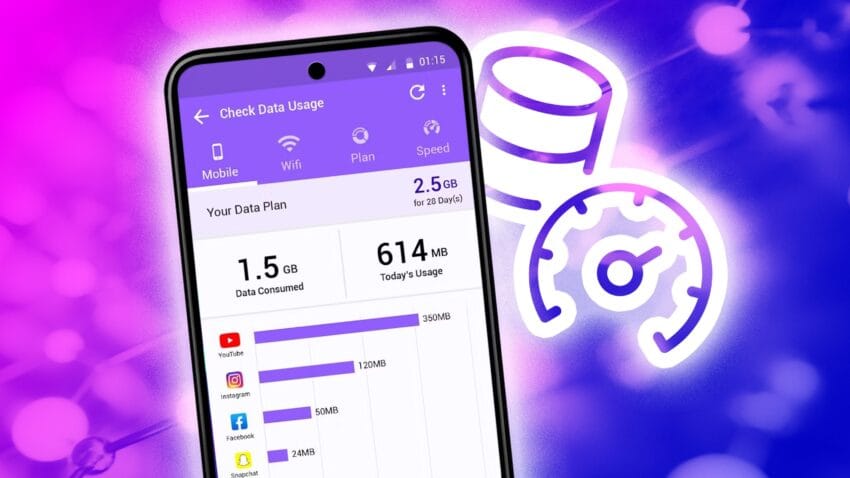
how to monitor and manage your android Monitoring and managing data usage on your Android device is essential for optimizing performance and avoiding unexpected charges.
how to monitor and manage your android
Understanding Data Usage on Android Devices
In today’s digital age, smartphones have become indispensable tools for communication, entertainment, and productivity. However, with the increasing reliance on mobile data, understanding how to monitor and manage data usage on Android devices has never been more critical. Streaming services, video calls, and various applications can consume significant amounts of data, often without users realizing it. Even if you have one of the best value data plans available, keeping an eye on your data usage can help you avoid overage charges and ensure that your device operates efficiently.
Why Data Management Matters
Data management is crucial for several reasons:
- Cost Efficiency: Many mobile plans come with data caps. Exceeding these limits can lead to additional charges, which can quickly add up.
- Performance Optimization: Background data usage can slow down your device and drain the battery. Monitoring data usage helps identify apps that may be using excessive resources.
- Data Security: Some apps may use data to send information without your consent. Keeping track of data usage can help you identify and control such activities.
How to Check Data Usage on Your Android Phone
Android devices come equipped with built-in features that allow users to monitor their data usage easily. Here’s how you can check your data usage:
Accessing Data Usage Settings
To access data usage settings on your Android device, follow these steps:
- Open the Settings app on your device.
- Scroll down and select Network & Internet.
- Tap on Data Usage.
In this section, you will see an overview of your mobile data usage, including how much data you have consumed over a specific period.
Viewing App-Specific Data Usage
To gain insights into which applications are consuming the most data, follow these steps:
- Within the Data Usage menu, select Mobile Data Usage.
- You will see a list of apps along with the amount of data each app has used during the selected period.
This information can help you identify data-hungry apps that may need to be managed or restricted.
Setting Data Usage Alerts and Limits
Android allows users to set data usage alerts and limits, which can be beneficial for managing your data effectively.
Setting Up Data Usage Alerts
To set up alerts for data usage, follow these steps:
- In the Data Usage menu, look for the option labeled Data Warning or Data Limit.
- Enable the data warning option and set a threshold (e.g., 75% of your monthly data limit).
Once you reach this threshold, your device will notify you, allowing you to adjust your usage accordingly.
Establishing a Data Limit
To prevent exceeding your data cap, you can also set a hard limit:
- In the same menu, enable the Data Limit option.
- Set a limit that corresponds to your monthly data plan.
Once you reach this limit, your mobile data will automatically turn off, preventing any further usage until the next billing cycle.
Managing Background Data Usage
Many apps continue to use data in the background, which can lead to unexpected data consumption. Managing background data is essential for maintaining control over your data usage.
Restricting Background Data
To restrict background data for specific apps:
- Go back to the Mobile Data Usage section.
- Select an app from the list.
- Toggle the option for Restrict Background Data to prevent the app from using data when not in use.
This feature is particularly useful for apps that you don’t use frequently but still consume data in the background.
Using Data Saver Mode
Android devices also come with a built-in Data Saver mode that can help reduce overall data consumption:
- In the Data Usage menu, look for the Data Saver option.
- Enable Data Saver mode.
When activated, this mode restricts background data usage for most apps, allowing only essential services to function. You can also whitelist specific apps that you want to allow unrestricted access to data while in this mode.
Best Practices for Managing Data Usage
In addition to using the built-in features of your Android device, there are several best practices that can help you manage your data usage more effectively:
Monitor Streaming Quality
Streaming services like Netflix, YouTube, and Spotify can consume large amounts of data, especially at higher quality settings. To manage this:
- Check the streaming quality settings within the app and adjust them to a lower quality when using mobile data.
- Download content for offline viewing when connected to Wi-Fi to minimize data usage.
Limit App Updates Over Mobile Data
App updates can also consume significant data. To prevent automatic updates over mobile data:
- Open the Google Play Store app.
- Tap on your profile icon, then select Settings.
- Under General, select Auto-update apps and choose Over Wi-Fi only.
Utilize Wi-Fi Whenever Possible
Whenever possible, connect to Wi-Fi networks to reduce mobile data consumption. This is particularly useful for:
- Downloading large files or updates.
- Streaming videos or music.
- Backing up data to cloud services.
Stakeholder Reactions and Implications
The increasing need for data management has implications for various stakeholders, including mobile service providers, app developers, and users. Mobile service providers are continuously adapting their plans to meet consumer demand for data, often offering unlimited plans or higher data caps. However, this can lead to increased costs for users who may not need such extensive data packages.
App developers are also responding to the need for data efficiency by optimizing their applications to use less data. This is particularly important for apps that rely on video streaming or real-time communication, as these can significantly impact users’ data plans.
For users, understanding how to monitor and manage data usage empowers them to make informed decisions about their mobile plans and app usage. This knowledge can lead to better budgeting and more efficient use of technology.
Conclusion
In conclusion, monitoring and managing data usage on your Android device is essential for optimizing performance, avoiding unexpected charges, and ensuring a seamless user experience. By utilizing the built-in features of your device, setting alerts and limits, and following best practices, you can take control of your data consumption. As mobile technology continues to evolve, staying informed about data management will remain a crucial aspect of smartphone ownership.
Source: Original report
Was this helpful?
Last Modified: September 25, 2025 at 1:48 am
7 views