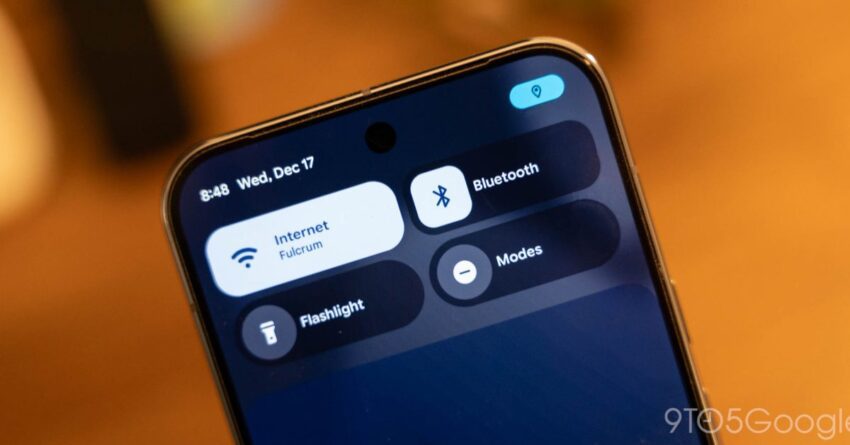
google adding blur to android 17 s Google is enhancing the user interface of Android 17 by incorporating a more pronounced blur effect across its system UI, building on the previous year’s Material 3 Expressive redesign.
google adding blur to android 17 s
Introduction to Android 17’s UI Enhancements
As part of its ongoing efforts to refine the user experience on its devices, Google has announced a significant update for Android 17. This update introduces a more extensive use of blur effects within the system UI, a design choice that aims to create a more immersive and visually appealing environment for users. The decision to implement these changes follows the success of the Material 3 Expressive redesign, which was well-received by users and critics alike.
The Role of Blur in User Interface Design
Blur effects have become increasingly popular in user interface design, particularly in mobile operating systems. They serve multiple purposes, including:
- Visual Appeal: Blur can soften the harshness of sharp edges and create a more cohesive look across various elements of the UI.
- Focus: By blurring background elements, designers can direct users’ attention to the most important features or content on the screen.
- Depth: Blur adds a sense of depth to the interface, making it feel more layered and dynamic.
Google’s decision to incorporate more blur into Android 17 reflects a broader trend in design that prioritizes aesthetics alongside functionality. The aim is to create an experience that feels both modern and intuitive.
Background on Material 3 Expressive Redesign
The Material 3 Expressive redesign, introduced in the previous year, marked a significant shift in Google’s design philosophy. This redesign focused on creating a more personalized and expressive user experience by allowing for greater customization and flexibility. Key features of the Material 3 redesign included:
- Dynamic Color: The ability to adapt the color palette based on the user’s wallpaper, creating a more harmonious look.
- Shape and Motion: Enhanced use of shapes and animations to create a more engaging interface.
- Accessibility: Improved accessibility features to ensure that the UI is usable for a broader range of users.
The success of Material 3 has set a high bar for subsequent updates, and the introduction of blur in Android 17 is seen as a natural evolution of this design language.
Implications of the Blur Feature
The introduction of blur effects in Android 17 carries several implications for users and developers alike:
Enhanced User Experience
For end-users, the increased use of blur is expected to enhance the overall experience of using Android devices. By creating a more visually appealing interface, Google aims to make interactions feel more fluid and enjoyable. The blurred backgrounds can help in reducing visual clutter, allowing users to focus on the task at hand without distractions.
Impact on App Development
For developers, the introduction of blur effects means that they will need to adapt their applications to align with the new design standards. This could involve:
- Design Adjustments: Developers may need to rethink their app layouts to accommodate the new blur effects, ensuring that their apps remain visually coherent with the overall system UI.
- Performance Considerations: Implementing blur effects can be resource-intensive. Developers will need to optimize their apps to ensure that they run smoothly on devices with varying hardware capabilities.
Potential Challenges
While the introduction of blur effects is generally seen as a positive change, it may also present certain challenges:
- Performance Issues: On lower-end devices, the additional processing required for blur effects could lead to performance degradation, impacting user experience.
- Accessibility Concerns: Some users may find that excessive blur can hinder readability, particularly for those with visual impairments. Google will need to ensure that accessibility features are robust enough to accommodate these users.
Stakeholder Reactions
The announcement of the blur feature in Android 17 has elicited a range of reactions from stakeholders within the tech community:
Users
Initial feedback from users has been largely positive, with many expressing excitement about the visual enhancements. Users appreciate the aesthetic improvements and the potential for a more immersive experience. However, some have raised concerns about the performance implications, particularly on older devices.
Developers
Developers have expressed a mix of enthusiasm and caution. While many are excited about the creative possibilities that blur effects can offer, there are concerns regarding the additional workload required to adapt existing applications. The need for optimization to maintain performance is a key consideration for many developers.
Industry Analysts
Industry analysts have noted that Google’s move to incorporate more blur effects aligns with broader trends in mobile design. They argue that this change could help Google maintain its competitive edge in the smartphone market, particularly against rivals like Apple, which has also embraced similar design philosophies in its iOS updates.
Future Directions for Android UI Design
The introduction of blur effects in Android 17 is likely to set the stage for future developments in Android’s user interface design. As technology continues to evolve, several trends may emerge:
Increased Customization
As users increasingly seek personalized experiences, future updates may focus on providing even more customization options. This could include allowing users to adjust the intensity of blur effects or choose from different visual styles.
Integration of AI and Machine Learning
With advancements in AI and machine learning, future Android updates may incorporate smarter design elements that adapt to user behavior. For example, the system could learn which apps users engage with most frequently and adjust the UI accordingly, potentially enhancing the effectiveness of blur effects.
Focus on Accessibility
As the tech industry continues to prioritize inclusivity, future updates will likely place a greater emphasis on accessibility features. This could involve refining blur effects to ensure that they do not hinder usability for individuals with visual impairments or other disabilities.
Conclusion
The introduction of blur effects in Android 17 represents a significant step forward in Google’s design evolution. By building on the foundation laid by the Material 3 Expressive redesign, Google aims to create a more visually appealing and immersive user experience. While the change has garnered positive feedback, it also presents challenges that will need to be addressed to ensure optimal performance and accessibility. As the tech landscape continues to evolve, the implications of these design choices will be closely monitored by users, developers, and industry analysts alike.
Source: Original report
Was this helpful?
Last Modified: January 25, 2026 at 9:47 pm
2 views