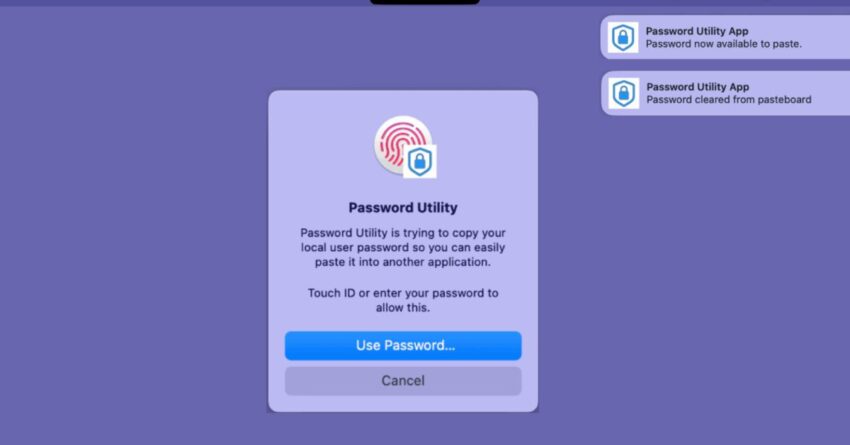
apple work password utility solves the filevault Twocanoes Software has introduced a new tool called Password Utility that addresses a significant challenge faced by IT administrators managing remote Macs, particularly those utilizing FileVault encryption.
apple work password utility solves the filevault
Understanding the Remote Management Challenge
In the era of remote work, managing a fleet of Macs presents unique challenges, especially when it comes to security and accessibility. One of the most pressing issues is the need to restart these devices. For IT professionals, the process can be frustrating and time-consuming, primarily due to the way FileVault operates. FileVault is Apple’s disk encryption program that secures data by encrypting the entire drive, ensuring that unauthorized users cannot access sensitive information.
The FileVault Login Dilemma
When a Mac equipped with FileVault is rebooted, it presents a pre-boot login screen. This screen is displayed before the operating system has fully loaded, meaning the device is not yet connected to the network. Consequently, IT administrators cannot remotely access the machine to assist users or perform necessary updates. The only way to bypass this screen is for someone to physically enter the password, which can be a significant hurdle for organizations with remote employees.
This situation creates a bottleneck in productivity and can lead to increased downtime for remote workers. The inability to access a device remotely during this critical phase can be particularly problematic for organizations that rely heavily on Apple devices for their operations. As remote work becomes more prevalent, finding solutions to these challenges is essential for maintaining efficiency and security.
Introducing Password Utility
Twocanoes Software has developed Password Utility as a solution to this pressing issue. Priced at just $10 per year, this tool is designed specifically for Apple Silicon Macs and aims to streamline the reboot process for devices protected by FileVault. By eliminating the need for physical access to the device during the reboot phase, Password Utility offers a practical solution for IT administrators managing remote Macs.
How Password Utility Works
Password Utility operates by allowing administrators to store and manage FileVault passwords securely. When a Mac is rebooted, the tool can automatically provide the necessary password to bypass the pre-boot login screen. This functionality is particularly beneficial for organizations with multiple remote devices, as it reduces the need for on-site support and minimizes downtime.
Additionally, Password Utility integrates seamlessly with existing management tools, making it easy for IT teams to incorporate it into their workflows. The user-friendly interface and straightforward setup process ensure that even those with limited technical expertise can utilize the tool effectively.
Benefits of Using Password Utility
The introduction of Password Utility brings several advantages for organizations managing remote Macs:
- Increased Efficiency: By allowing remote access during the reboot process, IT teams can resolve issues more quickly, reducing downtime for employees.
- Enhanced Security: Password Utility maintains the security features of FileVault while providing a mechanism for remote access, ensuring that sensitive data remains protected.
- Cost-Effective Solution: At just $10 per year, Password Utility offers a low-cost solution for organizations looking to improve their remote management capabilities.
- Ease of Use: The tool’s intuitive design makes it accessible for IT professionals with varying levels of expertise.
Stakeholder Reactions
The introduction of Password Utility has garnered positive feedback from IT professionals who have faced the challenges of managing remote Macs. Many have expressed relief at finding a solution that addresses the specific pain points associated with FileVault and remote access.
“This tool is a game-changer for us,” said an IT manager at a mid-sized tech company. “We’ve struggled with the reboot issue for a long time, and Password Utility has made it so much easier to manage our remote devices.”
Organizations that have adopted Password Utility report a noticeable improvement in their ability to support remote workers, leading to increased productivity and employee satisfaction. The tool has become a valuable asset for IT teams, allowing them to focus on more strategic initiatives rather than getting bogged down by routine management tasks.
Context and Implications
The rise of remote work has fundamentally changed the landscape of IT management. As organizations continue to adapt to this new normal, the need for effective tools to manage remote devices has never been more critical. Password Utility addresses a specific challenge that many organizations face, providing a solution that enhances both security and accessibility.
Moreover, as more companies embrace hybrid work models, the demand for tools that facilitate remote management is likely to grow. Password Utility not only solves a current problem but also positions itself as a forward-thinking solution that aligns with the evolving needs of the workforce.
Future Developments
Looking ahead, Twocanoes Software may explore additional features for Password Utility to further enhance its functionality. Potential updates could include integration with other management platforms, advanced reporting capabilities, or additional security features to provide even greater peace of mind for IT administrators.
As the technology landscape continues to evolve, it will be essential for software developers to remain responsive to the changing needs of their users. Password Utility serves as an example of how targeted solutions can address specific pain points and improve overall efficiency in IT management.
Conclusion
In summary, Password Utility from Twocanoes Software offers a much-needed solution for IT administrators managing remote Macs protected by FileVault. By enabling remote access during the reboot process, the tool addresses a significant challenge that has long plagued organizations relying on Apple devices. With its affordable pricing and user-friendly design, Password Utility is poised to become an essential tool for any organization looking to streamline its remote management processes.
As remote work continues to be a staple of modern business operations, tools like Password Utility will play a crucial role in ensuring that IT teams can effectively support their workforce, maintain security, and enhance productivity.
Source: Original report
Was this helpful?
Last Modified: January 17, 2026 at 10:49 pm
0 views